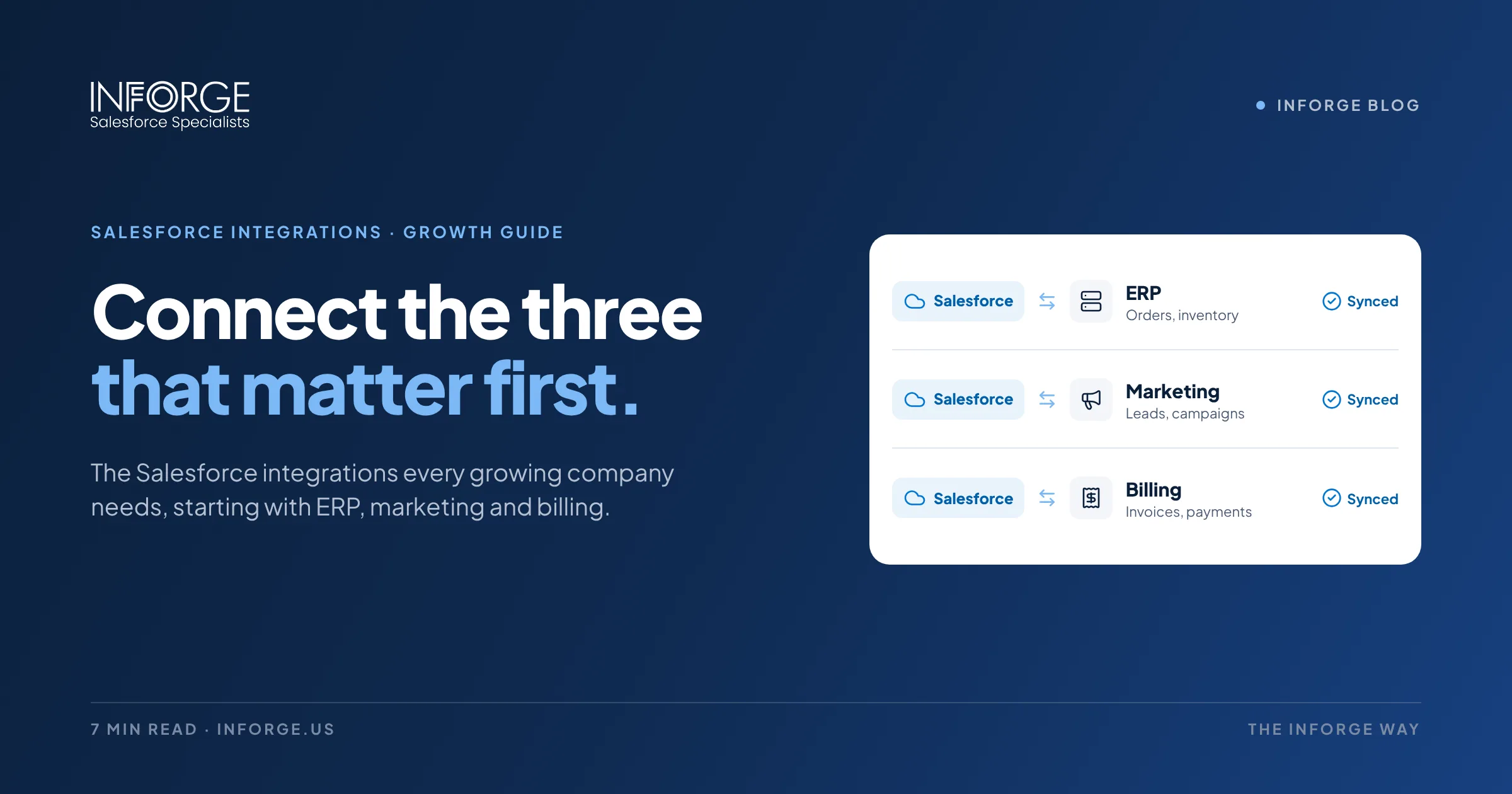
What Salesforce Integrations Should Every Growing Company Have? ERP, Marketing, and Billing
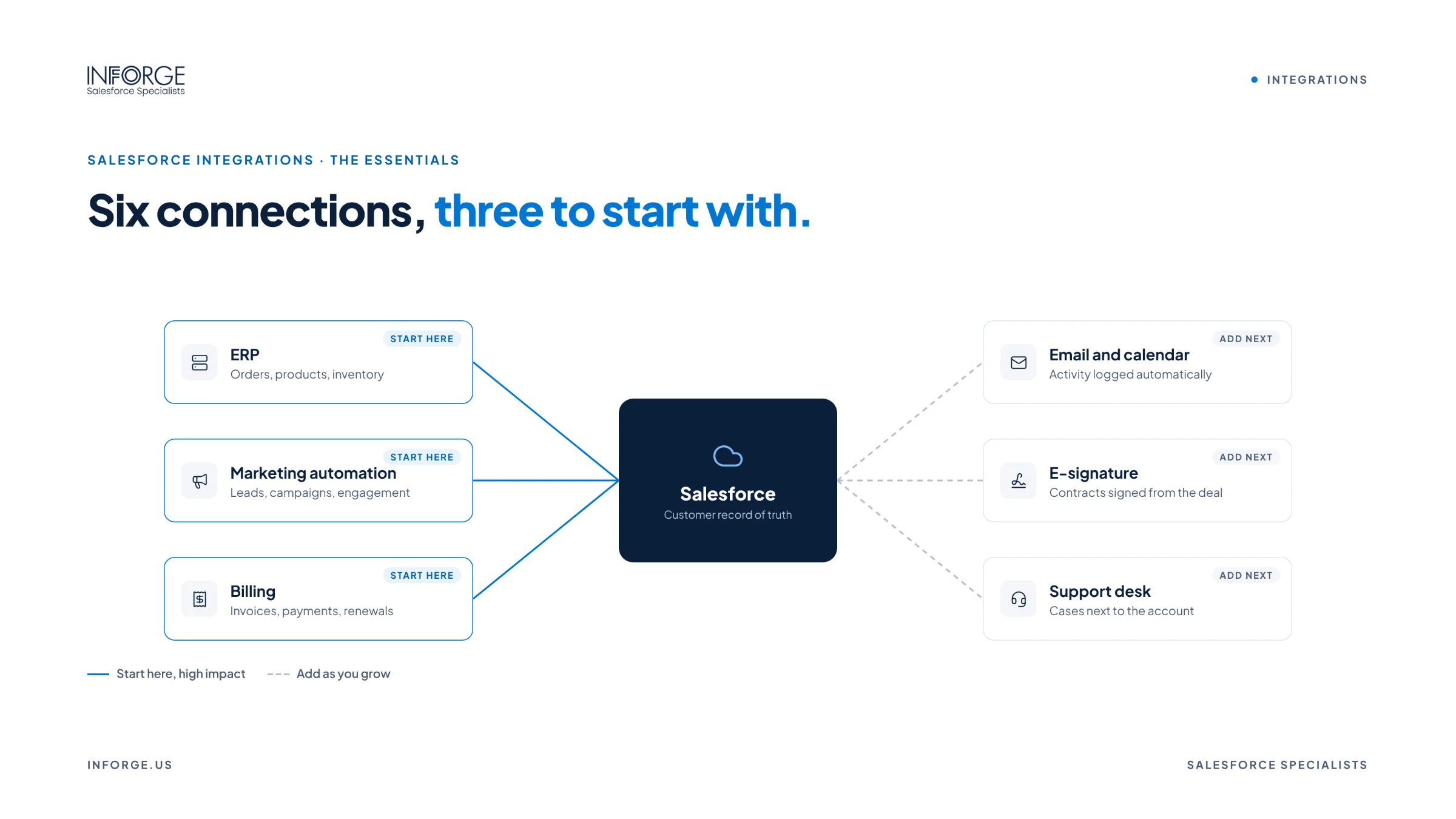
Start with the three that connect Salesforce to the money: your ERP, your marketing automation platform, and your billing system. Together, they give sales a full view of each customer, give marketing visibility into what drives revenue, and keep orders, invoices, and payments in sync without manual re-entry. From there, add email and calendar, e-signature, support, and data warehouse integrations as you grow.
Quick Answer: Every growing company should prioritize three Salesforce integrations: ERP (like NetSuite, SAP, or Microsoft Dynamics) to sync accounts, orders, invoices, and inventory; marketing automation (like Marketing Cloud Account Engagement, HubSpot, or Marketo) to sync leads, campaigns, and engagement; and billing (like Stripe, Chargebee, QuickBooks, or Revenue Cloud Billing) to connect closed deals to invoices and payments. After those, consider email and calendar, e-signature, customer support, communication tools like Slack, and a data warehouse. Plan each integration around a clear business process, a system of record for each data type, and reliable error handling.
Key Takeaways:
ERP, marketing automation, and billing are the three integrations that most directly affect revenue visibility and operations.
Every integration needs a clear system of record for each type of data, so systems don't overwrite each other.
Integration options range from native connectors and AppExchange apps to middleware platforms like MuleSoft.
Reliable integrations include monitoring, retries, and alerts, so failures don't silently break data.
Plan integrations around business processes, not just data fields.
Why Integrations Matter as You Grow
When a company is small, a few manual exports and some copy and paste between systems feel manageable. As the business grows, that approach breaks. Sales can't see whether a customer has paid. Finance re-enters orders that sales already captured. Marketing can't prove which campaigns drive revenue. Customers get inconsistent answers depending on who they ask.
Integrations turn Salesforce from a sales tool into the connected center of the customer relationship. They remove duplicate data entry, reduce errors, speed up order-to-cash, and give leadership a reliable view of the business.
The bottleneck isn't Salesforce. It's the gaps between Salesforce and everything else.
Integration 1: ERP
What it connects: Accounts, products and price books, orders, invoices, payments, inventory, and shipments between Salesforce and your ERP, such as NetSuite, SAP, Microsoft Dynamics, Acumatica, or Sage.
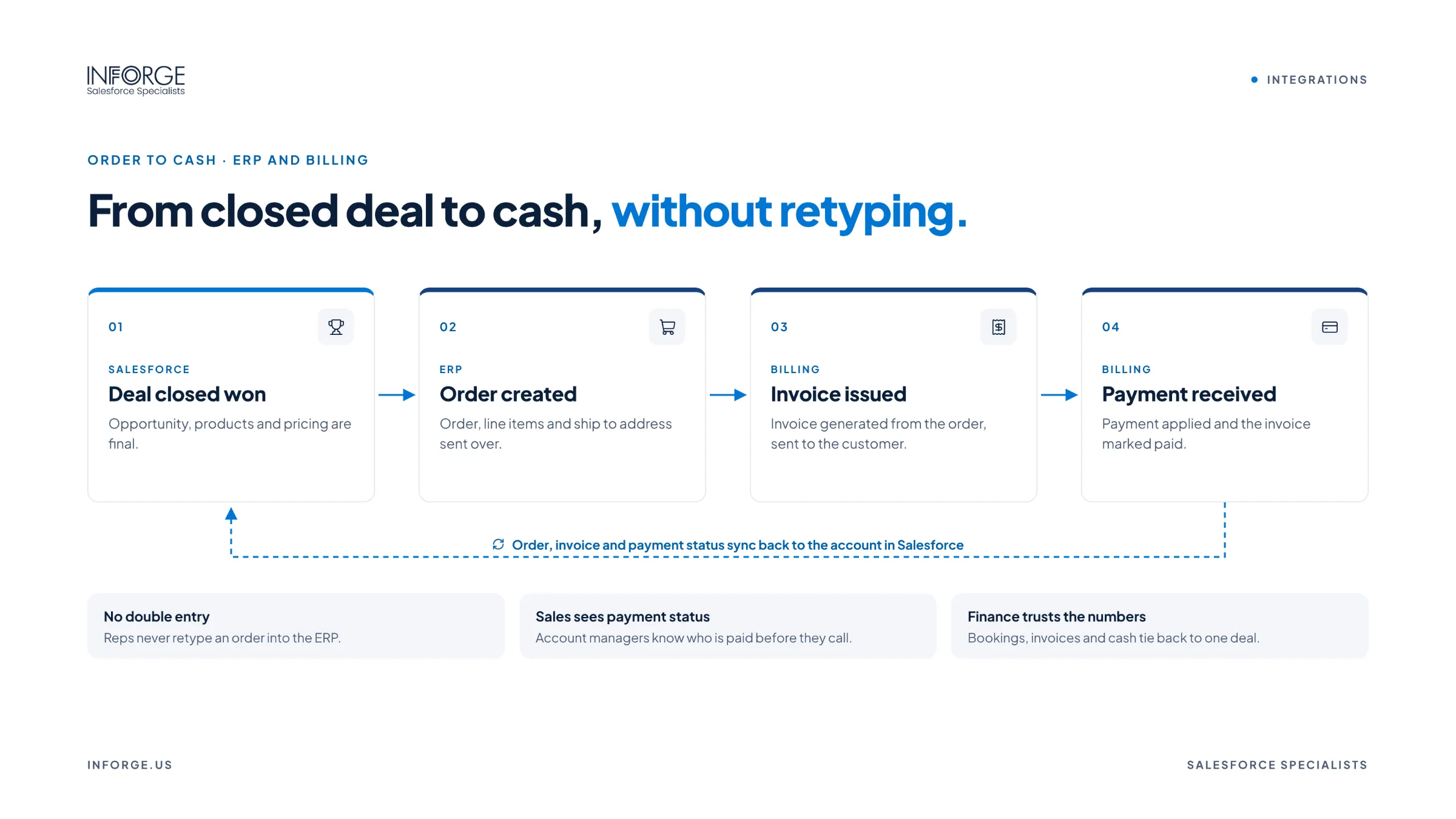
Why it matters: Sales sees order status, outstanding invoices, and purchase history without asking finance. Closed deals flow into the ERP as orders without re-entry. Operations and finance work from the same customer data.
Key decisions: Which system owns customer and product data, when an opportunity becomes an order, and which ERP data sales actually needs to see.
Integration 2: Marketing Automation
What it connects: Leads, contacts, campaigns, email engagement, form submissions, and lead scores between Salesforce and platforms like Marketing Cloud Account Engagement, Marketing Cloud, HubSpot, or Marketo.
Why it matters: Marketing passes qualified leads to sales instantly, reps see each prospect's engagement history, and marketing can tie campaigns to pipeline and revenue in Salesforce.
Key decisions: Lead handoff criteria, field mapping, sync rules, deduplication, and how campaign attribution works.
Integration 3: Billing
What it connects: Closed deals, subscriptions, invoices, payments, and renewals between Salesforce and billing systems like Stripe, Chargebee, Zuora, QuickBooks, or Salesforce's Revenue Cloud Billing.
Why it matters: Invoices are created from accurate deal data, account teams see payment status and overdue balances, and renewals and upsells are based on real subscription data.
Key decisions: Where subscriptions are managed, how amendments and renewals flow, and how billing connects to the ERP for accounting.
Other Integrations to Add as You Grow
Email and calendar (Gmail or Outlook) to log activity automatically and keep customer communication visible
E-signature (like DocuSign or Adobe Acrobat Sign) to send and track contracts from Salesforce
Customer support to connect cases and support history if service runs outside Salesforce
Communication (like Slack) for deal alerts, approvals, and collaboration
Ecommerce to bring online orders and customer data into Salesforce
Data warehouse (like Snowflake, BigQuery, or Databricks) for advanced analytics and unified reporting
Phone and conversation intelligence to log calls and capture insights
How to Plan Salesforce Integrations
Start with the business process. Map the end-to-end process, like lead to cash, before mapping fields.
Define a system of record for each data type. Decide which system owns accounts, products, pricing, orders, invoices, and payments.
Choose the right integration approach. Native connectors and AppExchange apps work well for standard needs. Middleware like MuleSoft or other integration platforms fits complex, high-volume, or multi-system integrations. Custom API integrations fit unique requirements.
Decide sync direction and timing. Real-time, near real-time, or scheduled, and one-way or two-way.
Clean data first. Duplicates and inconsistent records cause integration errors and mismatched data.
Build in error handling. Monitoring, retries, and alerts make sure failed syncs are caught and fixed, not silently lost.
Test thoroughly in a sandbox with realistic data volumes before going live.
Document and assign ownership so someone maintains each integration over time.
At Inforge, we've found that the integrations that hold up as companies grow aren't the most complex ones. They're the ones built around a clear process, a defined system of record, and reliable monitoring, with someone accountable for keeping them running.
Summary
Salesforce delivers the most value when it's connected to the systems that run the rest of the business. Every growing company should prioritize ERP, marketing automation, and billing integrations, then add email and calendar, e-signature, support, communication, ecommerce, and data warehouse integrations as needs grow. Plan integrations around business processes, define a system of record for each data type, choose the right integration approach, clean data first, and build in monitoring and error handling.
Inforge designs and builds Salesforce integrations with ERP, marketing, billing, and other systems using native connectors, MuleSoft, and custom APIs, with nearshore Salesforce architects and developers working in your time zone.
Frequently Asked Questions
Q: What are the most important Salesforce integrations?
A: For most growing companies, ERP, marketing automation, and billing integrations deliver the most value, because they connect sales to orders, revenue, and marketing performance.
Q: How do you integrate Salesforce with an ERP?
A: Options include native connectors, AppExchange apps, middleware platforms like MuleSoft, and custom API integrations. The right approach depends on the ERP, data volume, complexity, and how real-time the sync needs to be.
Q: Should Salesforce or the ERP be the system of record?
A: It depends on the data type. Salesforce often owns leads, opportunities, and sales activity, while the ERP typically owns orders, invoices, inventory, and financial data. Define ownership for each data type before building.
Q: What is MuleSoft and do I need it?
A: MuleSoft is Salesforce's integration platform for connecting systems through APIs. It's a strong fit for complex, high-volume, or multi-system integrations. Simpler integrations can often use native connectors or AppExchange apps.
Q: How do I keep Salesforce integrations from breaking?
A: Build in monitoring, retries, and alerts, clean data before syncing, test in a sandbox, document each integration, and assign an owner to maintain it as systems change.