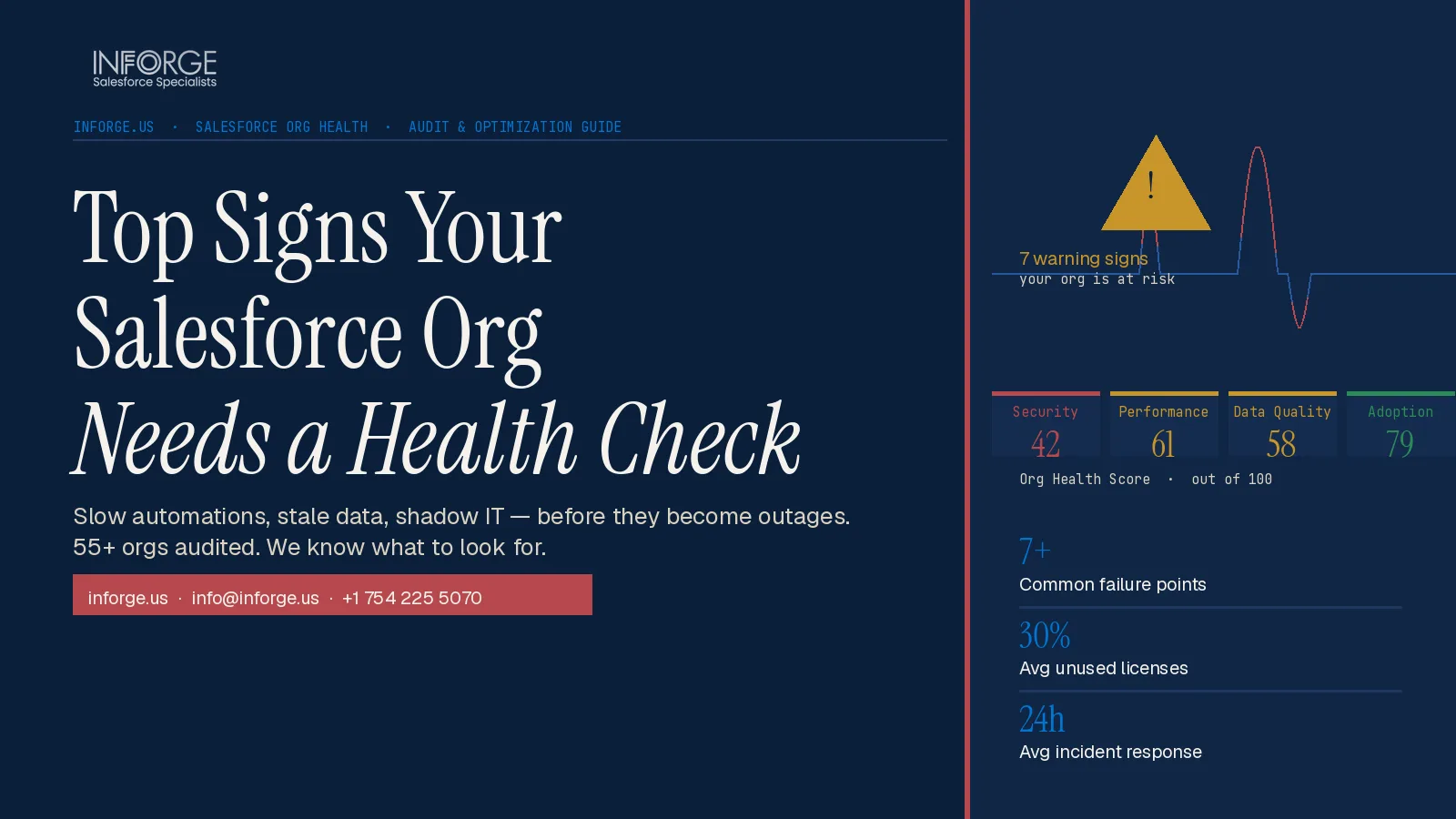
Top Signs Your Salesforce Org Needs a Health Check
If your Salesforce org has been live for more than two or three years, it almost certainly has problems you haven't found yet. Automations fire in the wrong order. Reports contradict each other. Reps keep their pipeline in spreadsheets. None of this is a user problem — it's an org problem. A Salesforce health check is the structured audit that finds it all before the damage compounds.
Quick Answer: A Salesforce org needs a health check when users stop trusting its data, automations break after releases, performance slows, or the team works around the system instead of inside it. These are not isolated IT issues — they are signals that your CRM has drifted from your business.
Key Takeaways:
Most orgs don't notice warning signs until problems have compounded into something costly to fix.
Dirty data, broken automations, and security drift are the three most expensive failure modes in a Salesforce org.
Technical debt in Salesforce now directly blocks AI adoption — you cannot run Agentforce or Einstein reliably on a fragmented org.
A health check should cover data quality, security, automation, performance, adoption, and governance — not one area in isolation.
The right cadence is at least once a year, and after any major release or integration change.
At Inforge, we've audited orgs that looked fine in demos and were quietly draining six figures in productivity annually. The warning signs are always there. Most teams just don't know what to look for.
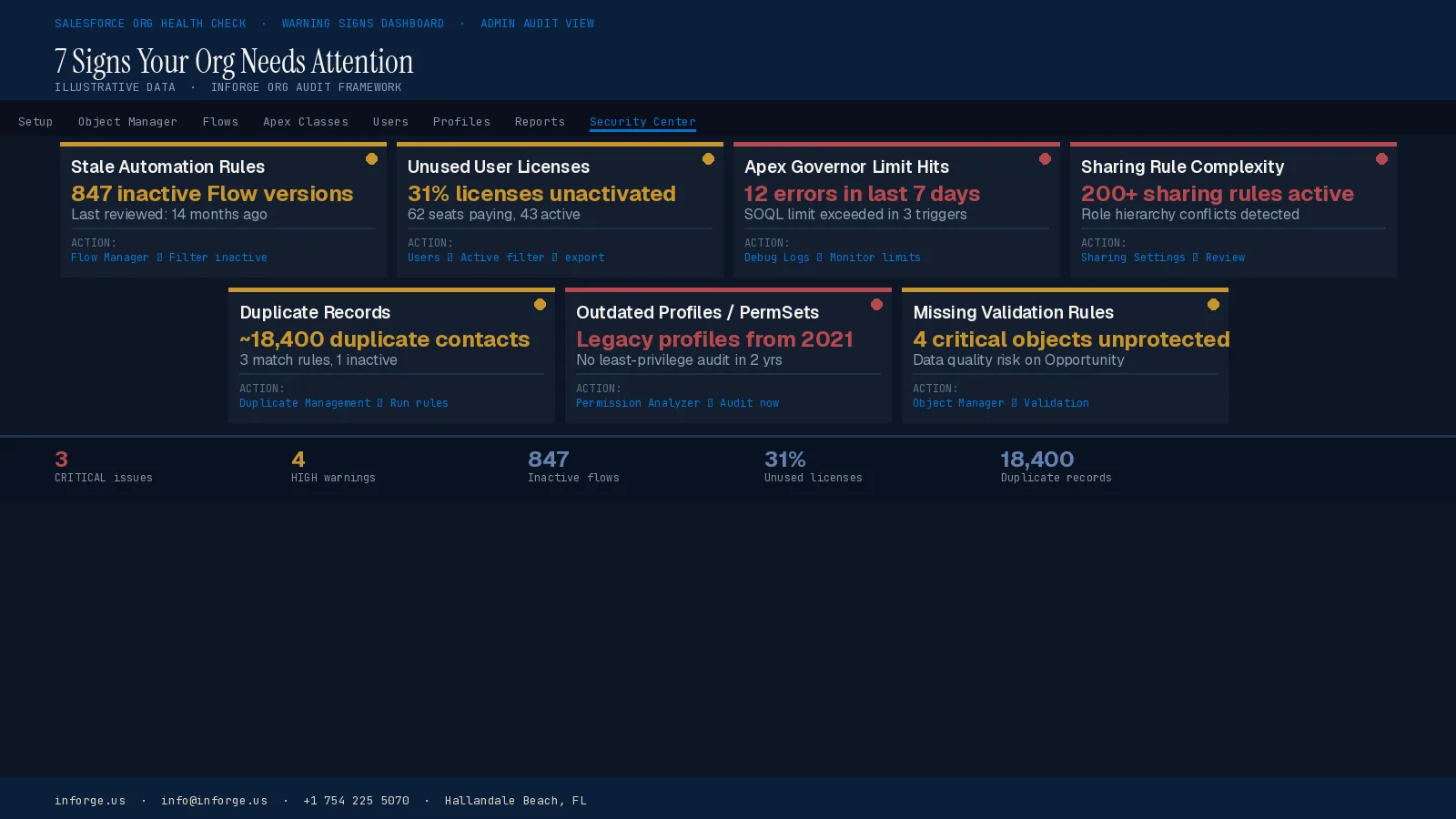
1. Your Reps Are Working Outside Salesforce
When sales or service teams treat Salesforce as an end-of-day chore, that's not a training problem. It's a signal the system isn't fit for how they actually work.
Reps default to spreadsheets, sticky notes, and email threads when Salesforce feels slower than doing it manually. Too many required fields, layouts that don't match the real workflow, and zero mobile usability all push people out. If your CRM isn't where the work happens, the data inside it is fiction.
According to research cited by Remarkable Global, CRM implementations fail up to 50% of the time due to low user adoption. The org doesn't break — it just becomes a compliance exercise rather than a productivity tool.
What to look for: login frequency by user role, records updated versus records created, and whether pipeline data is being maintained in real time or batch-entered before forecast calls.
2. Your Reports Don't Agree on Basic Numbers
When someone asks "what's revenue this month" and three people pull three different numbers, your org has a data governance problem — not a reporting problem.
This happens when field definitions drift, filters aren't standardised, and no one has established a source-of-truth framework for core metrics. It also happens when the same data lives in multiple objects with no clear hierarchy.
A recent Salesforce report found that 43% of CRM features go unused, which means the dashboards leadership reviews are often built on incomplete inputs. Executives make pipeline calls and hiring decisions based on data no one fully trusts. That's an org health issue, not an analytics issue.
A health check maps every report and dashboard back to the fields that feed it, identifies inconsistencies, and establishes governance rules that keep numbers coherent over time.
3. Automations Break After Every Release
This is one of the clearest signs of a struggling org, and one of the most ignored.
Automation sprawl is almost always the result of well-intentioned, incremental changes made without a big-picture view of the system. Workflows that fire incorrectly, trigger in the wrong order, or fail silently can corrupt data, send incorrect emails to customers, skip critical follow-up tasks, or create duplicate records — all without anyone noticing until the damage is done.
Many organisations built their original workflows using legacy tools like Workflow Rules and Process Builder — tools that Salesforce has now retired in favour of Flow. If your org is still running on these older tools, you're operating on a foundation Salesforce no longer actively develops or supports.
Salesforce has officially retired Workflow Rules and Process Builder. If your org still runs on these, they are active time bombs. A proper health check maps every automation in the org — Flows, Apex triggers, legacy Process Builders — documents what each one is supposed to do, and identifies conflicts, redundancies, and failures.
Many organisations discover they have five automations doing what one well-designed Flow could handle. Consolidation reduces risk and makes future maintenance far simpler.
4. Your Data Is Dirty, Duplicated, or Incomplete
Duplicate leads and contacts aren't just annoying — they're expensive. Duplicate outreach damages customer relationships. Duplicate records inflate pipeline numbers. Incomplete data makes scoring, routing, and forecasting unreliable.
As Salesforce instances age and organisations grow, legacy configurations and records become outdated. Data degrades with duplicates, incomplete fields, and inconsistent formatting across integrated systems. Matching rules, data entry controls, and enrichment strategy all need periodic review.
This problem matters more now than it ever has. AI tools like Agentforce and Einstein AI cannot function reliably on a dirty, fragmented org. You cannot run clean AI models on broken automations or duplicate data. In 2026, technical debt is directly blocking AI adoption — not just slowing it down.
If your team is eyeing Agentforce, the first step isn't an AI strategy. It's a data quality audit.
5. Performance Is Slow and No One Knows Why
Slow load times and timeout errors are not always a network problem. They are often a Salesforce problem — and a diagnosable one.
Slowness can stem from heavy Lightning pages, unoptimised components, bloated automations, or inefficient queries triggered by record changes. Synchronous Apex processing that surpasses Salesforce's CPU limits, and UNABLE_TO_LOCK_ROW errors caused by multiple processes trying to update a parent record simultaneously, are both indicators of deeper data modelling and automation sequencing problems.
A study found that a 100-millisecond delay in load time can reduce conversion rates by 7%. The same principle applies to your internal tools — when Salesforce is slow, reps take shortcuts, skip steps, or abandon the platform entirely.
Performance problems in a mature org are usually structural. A health check traces them back to root causes: async processing gaps, redundant automation chains, and metadata bloat.
6. Security Settings Haven't Been Reviewed in Over a Year
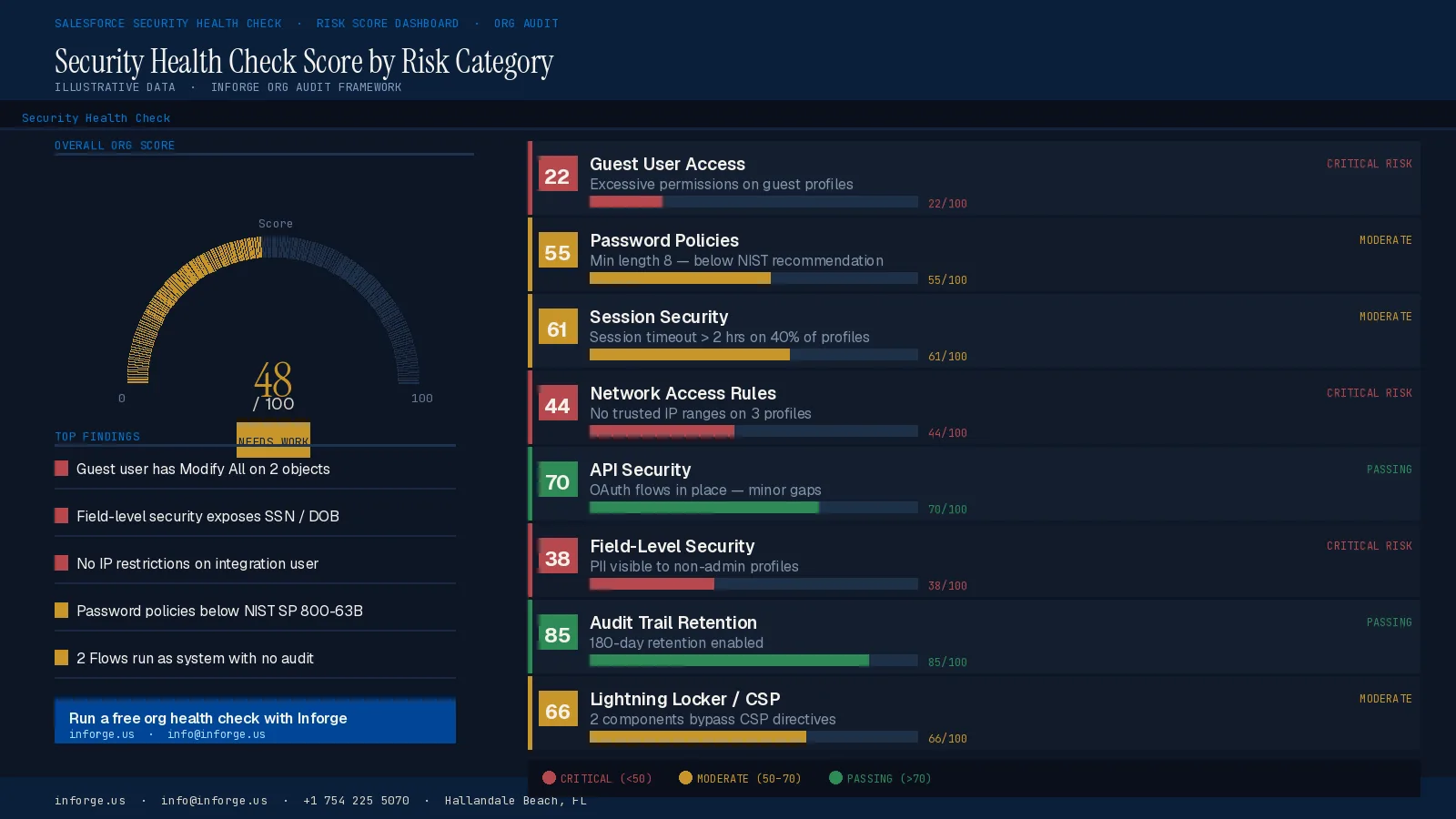
Security is the most under-reviewed area in most Salesforce orgs. In the early days of a deployment, it's common to grant broad permissions just to get things moving. Those permissions rarely get tightened afterward.
According to IBM's 2024 Cost of a Data Breach Report, the average data breach cost companies approximately $4.88 million in 2024 — making quick detection and proactive configuration more valuable than ever.
Configuration drift erodes security posture with every new user and integration. A health check catches that drift early. Salesforce's native Health Check tool assigns a score from 0 to 100 reflecting alignment with best practices. A score below 80 typically reflects multiple high-risk findings that could violate SOX §404 or GDPR Art 32 controls and create direct pathways for privilege escalation and data exfiltration.
The minimum cadence: run security health checks quarterly, and after every major release or integration change. If you haven't reviewed your org's security settings in the last year, there is almost certainly something that needs fixing.
7. Technical Debt Is Slowing Every Release
If simple changes feel risky and deployments take far longer than they should, your org has accumulated technical debt.
According to a McKinsey survey, CIOs reported that 10 to 20 percent of the technology budget dedicated to new products is diverted to resolving issues related to tech debt. In the Salesforce ecosystem, where the speed of declarative development means debt can build quickly, this number compounds fast.
Technical debt in Salesforce grows silently. It appears as Apex and formula fields with hardcoded IDs, triggers and flows that don't scale predictably, redundant process automation logic, and managed packages that are installed but unused. This debt gradually turns into an impediment to innovation. What should be easy updates become risky change management. Regression failures increase. Sandbox to production behaviour becomes inconsistent.
If your org has been running for more than three years, there's a near-100% chance you're sitting on unused fields, deprecated workflow rules, and automations that nobody remembers building but everyone is afraid to touch. A health check identifies these architectural liabilities so you can sequence fixes in the right order.
8. Your Admin Spends More Time Firefighting Than Building
If your Salesforce admin's roadmap keeps getting pushed back because they're stuck resolving day-to-day issues, that's not a capacity problem. It's a structural one.
Unused licenses, redundant apps, and problematic automations inflate costs and admin overhead. When you identify and address that waste, you keep the budget lean and free the team to work on improvements that compound.
A well-run org should have an admin who builds and improves — not one who spends 80% of their time debugging automation errors and cleaning up bad data. If the ratio is inverted, the org needs a reset.
Summary
A Salesforce org that looked great at go-live will drift without structured maintenance. Dirty data, broken automations, unchecked security settings, and accumulating technical debt are the four most common — and most costly — failure patterns. Left unaddressed, they don't just slow your team: they block the AI investments you're planning to make. At Inforge, we run full org health checks as the first step in every engagement — because you cannot build on a broken foundation. If any of the signs above sound familiar, it's time to get a clear picture of what's actually happening inside your org.
Frequently Asked Questions
Q: How often should I run a Salesforce org health check?
A: At a minimum, once a year — but ideally quarterly for security, and after every major release or integration change. Regular assessments catch gradual drift like expired certificates, abandoned user accounts, or weakening permission boundaries before they create operational problems.
Q: What does a Salesforce health check actually cover?
A: A proper health check covers data quality, security configuration, automation logic, performance, user adoption, license usage, and alignment with current business processes. These areas always affect each other, so reviewing one in isolation misses the full picture.
Q: Can I run a health check myself or do I need a consultant?
A: Salesforce's native Health Check tool in Setup covers security scoring. The Salesforce Code Analyzer handles static analysis across Apex and Flows. For a full org audit — including governance, automation mapping, and data quality — an experienced consultant brings the pattern recognition to connect the dots across all areas.
Q: How does technical debt affect AI adoption in Salesforce?
A: Directly. AI tools like Agentforce and Einstein AI require clean, structured, reliable data to function. Duplicate records, broken automations, and fragmented data models produce unreliable AI outputs. In 2026, messy org data is the most common reason companies cannot successfully activate AI features they've already paid for.
Q: What's the first thing to fix when a health check reveals problems?
A: Prioritise by impact. Security vulnerabilities first — these carry the highest risk. Then automation debt, especially any remaining Workflow Rules or Process Builders that Salesforce has retired. Data quality comes next, particularly if AI adoption is on the roadmap. Configuration and metadata clean-up follows from there.
