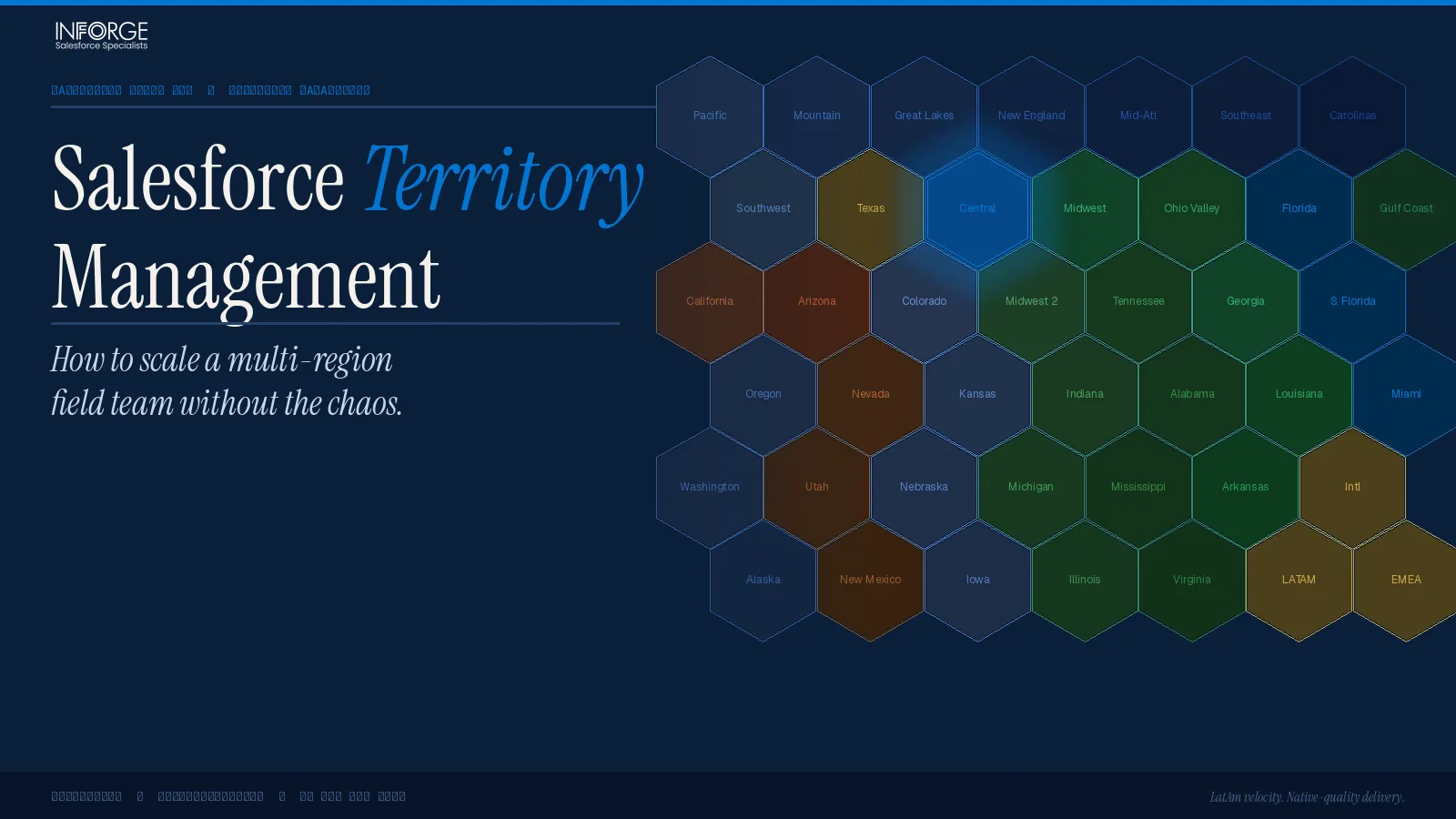
Salesforce Territory Management: How to Scale a Multi-Region Field Team Without the Chaos
Scaling a multi-region field sales team without a structured territory framework inside Salesforce is one of the fastest ways to create operational chaos. Reps overlap on accounts, leads fall through the cracks, forecasts roll up incorrectly, and your RevOps team spends more time resolving disputes than enabling growth. Salesforce Territory Management — officially rebranded from Enterprise Territory Management (ETM) in the Summer '24 release — gives you the infrastructure to prevent all of that. But only if you implement it correctly.
At Inforge, we're a Salesforce consultancy that delivers full implementations via AI agents. We've set up territory frameworks for mid-market and enterprise field teams across multiple regions, and the failure patterns are remarkably consistent. This guide breaks down what works, what doesn't, and how to get it right.
Key Takeaways:
Salesforce Territory Management (formerly ETM) is the right tool for complex, rule-based, multi-region field teams — account teams are not a substitute.
Territory hierarchies must mirror how your GTM team actually sells: by geography, segment, vertical, or a combination.
Lead routing is *separate* from territory assignment in Salesforce — you need both configured, or new leads won't land in the right hands automatically.
Balance territories by total addressable revenue, not account count.
Treat territory design as a quarterly operational process, not an annual set-and-forget.
Why Most Multi-Region Field Teams Hit a Scaling Wall
The scaling wall usually appears around the 15–30 rep mark. Below that threshold, a shared spreadsheet and a few Slack channels can mask the absence of real territory structure. Above it, the cracks become craters.
According to Salesforce's 2024 State of Sales report, 84% of sales reps missed quota last year — and poor territory design is one of the leading structural causes behind missed targets. That stat doesn't just reflect rep performance. It reflects how well (or how poorly) orgs have designed the system reps operate inside.
The structural problems that emerge without proper territory management in Salesforce:
Coverage gaps: Accounts with no assigned rep, no follow-up, and no visibility in forecasting.
Overlap conflicts: Two reps both touching the same account because assignment rules weren't defined — or weren't enforced.
Broken forecasts: Leadership asking for a regional number and getting a spreadsheet stitched together from three different sources.
Onboarding drag: A new hire joins and has no clear view of which accounts are theirs, what the rules are, or how to get data access.
Salesforce Territory Management solves each of these — but you have to build the foundation first.
What Salesforce Territory Management Actually Is (And Isn't)
Salesforce Territory Management is a sharing and assignment mechanism built into Sales Cloud. It controls — based on territories, territory rules you define, and the rep assignments you configure — who has access to which accounts, opportunities, cases, and leads.
With the Summer '24 release, Enterprise Territory Management was renamed Sales Territories, with all Salesforce documentation updated to reflect the new name. The core functionality remains the same.
Here's what it does well:
Creates a hierarchical territory model that mirrors your sales org
Automatically assigns accounts to territories based on rules you define (geography, industry, revenue, custom fields)
Powers territory-based forecasting that rolls up cleanly through your hierarchy
Controls record-level visibility so reps only see what's in their territory
Scales to thousands of territories on Performance and Unlimited editions
Here's what it does *not* do out of the box:
It does not automatically route leads to territory-based owners. Lead assignment rules in Salesforce are a completely separate system from territory management. If you configure territories but not lead assignment rules, new inbound leads won't automatically land with the right rep.
It does not change account owners. Territory membership and ownership are distinct. Salesforce recommends using a dummy/integration user as the account owner in team selling scenarios, then assigning reps via territory membership.
It does not replace account teams cleanly. Salesforce's own documentation recommends against using both Sales Territories and account teams simultaneously — Sales Territories provides better hierarchical rollup, forecasting, and automated assignment for complex orgs.
Building Your Territory Hierarchy: The Right Way to Model a Multi-Region Org
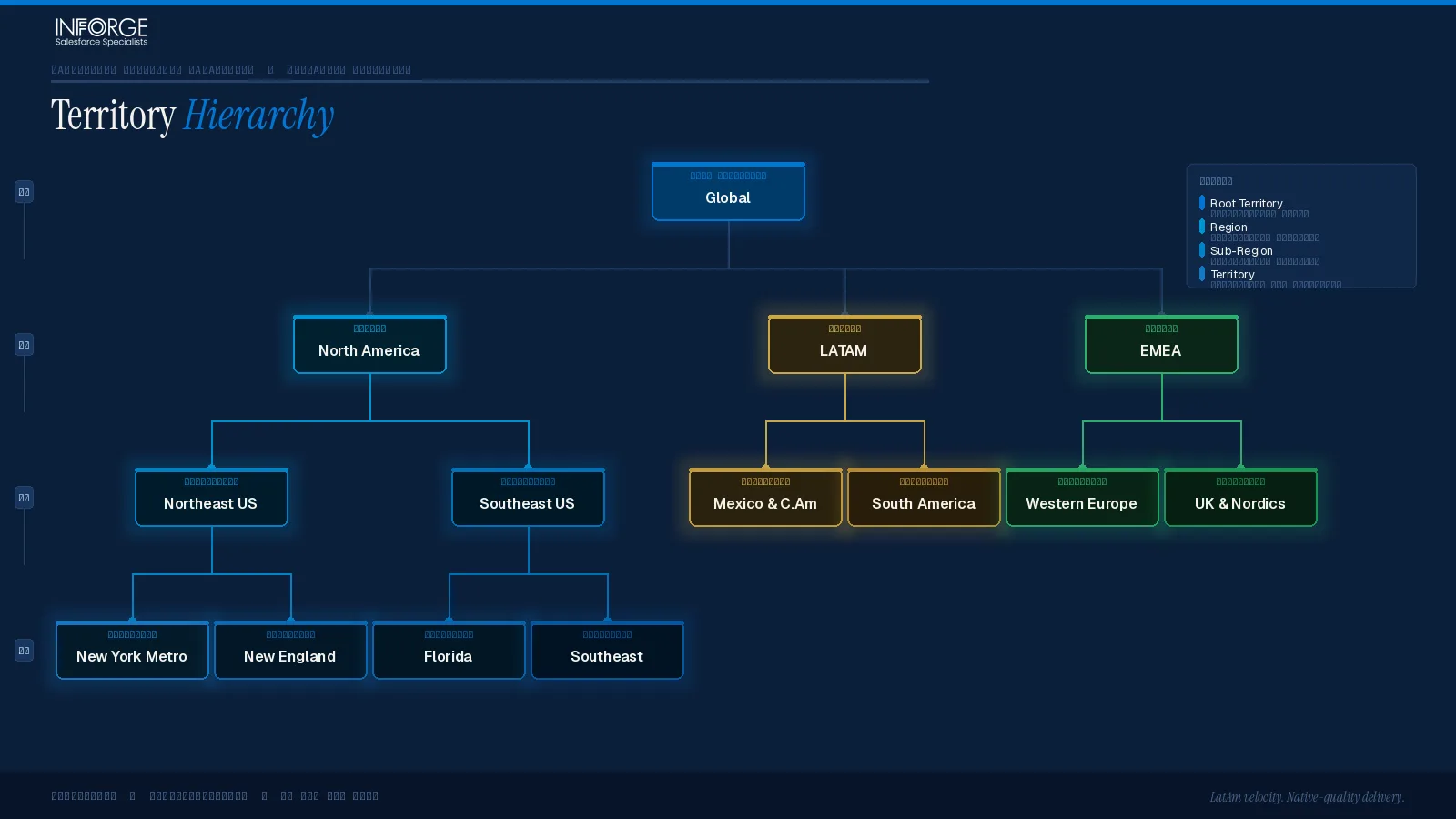
The territory model in Salesforce represents your entire sales organization in a hierarchical structure. Each territory can have one parent and multiple children — similar to a role hierarchy, but with significantly more flexibility.
Before you build anything in Salesforce, you need to answer three questions:
1. How do you actually go to market?
Do your reps specialize by region, industry vertical, deal size, or product line? High-performing GTM teams often layer multiple segmentation models. A rep might own the Pacific Northwest *and* specialize in manufacturing accounts. Your territory hierarchy should reflect that.
Common segmentation models:
Geographic: Country → Region → State → Metro/Postal Code. Best when reps need local market knowledge and field travel is a core part of the role.
Account tier: Enterprise vs. Mid-Market vs. SMB. Lets you align your most experienced reps to high-value accounts while giving volume-focused reps a manageable book.
Vertical/Industry: Healthcare, FinTech, Manufacturing. Enables specialized messaging and deeper buyer relationships.
Hybrid: A combination of the above — e.g., AMER → Enterprise → Healthcare. The most common model for mature field teams.
2. What are your assignment rules based on?
Salesforce lets you define rules using any account field: billing state, annual revenue, industry, number of employees, or custom fields. Rules fire when an account is created or updated. Child territories are always evaluated before parent territories, so your hierarchy order matters.
A common mistake: overlapping rule entries. If Rule 1 assigns California accounts to Rep A, and Rule 2 assigns accounts over $10M ARR to Rep B, then a $15M California account creates a conflict — and the record gets assigned unpredictably depending on rule order.
3. How will you handle territory forecasting?
To get rolled-up forecast amounts by territory, you must assign a Forecast Manager to every territory in your hierarchy where you want rollup reporting. This is non-negotiable. Even if no actual person manages a territory (e.g., an AMER parent territory), you still need a forecast manager assigned to it to see aggregated numbers.
The Data Problem Nobody Talks About Before Go-Live
Most territory implementation projects stall not because of configuration complexity, but because of dirty account data.
RevOps teams frequently struggle not because they lack firmographic data, but because it's fragmented, inconsistently formatted, or impossible to apply at scale. Consider: if you're assigning a mid-market rep to a territory that includes a subsidiary of a large enterprise account, and your Salesforce data doesn't capture the account hierarchy correctly, that subsidiary gets routed to the wrong rep — creating commission conflicts and eroding trust in the system fast.
Before activating your territory model:
1. Audit your Account object. Are Billing State, Industry, Annual Revenue, and Employee Count fields populated consistently? Missing or inconsistent data means rules won't fire correctly.
2. Resolve account hierarchies. Parent/child account relationships need to be clean. Salesforce lets you apply rules based on HQ account attributes and push them to all related child accounts — but only if those relationships are mapped.
3. Define your firmographic profile. What fields actually drive how your team sells? Identify the 3–5 fields that will anchor your assignment rules and make data quality for those fields non-negotiable.
According to Salesforce research, only 35% of sales professionals trust their organization's data accuracy. Territory management built on bad data produces bad assignments — and a system that reps stop trusting is a system they stop using.
Territory Balancing: Stop Counting Accounts, Start Measuring Revenue Potential
Here's a structural mistake that drives more rep turnover than almost anything else: balancing territories by account count instead of revenue potential.
Two reps with 50 accounts each aren't balanced if one covers enterprise clients with $300K ACV deals and the other handles SMB accounts at $15K. The rep with the smaller accounts isn't just at a quota disadvantage — they're almost guaranteed to miss, regardless of effort or skill.
According to Xactly, effective territory management can result in 15% higher revenue, a 20% increase in sales productivity, and up to 30% higher sales objective attainment. Those numbers don't come from simply *having* territories. They come from having *balanced* ones.
How to balance correctly:
Calculate total addressable revenue in each territory, not just account volume.
Factor in deal size, historical close rates, average sales cycle length, and market maturity (saturated vs. underdeveloped).
Account for rep capacity and expertise. Complex, high-value accounts should go to experienced reps. Volume-based accounts suit high-velocity teams.
Review balance quarterly. A territory that was balanced in January can be badly skewed by April — accounts churn, new logos enter, reps develop new skills or leave. Static territory design is a slow revenue leak.
The Lead Routing Gap: Why Your Territory Setup Isn't Enough
This is the piece that most territory implementations miss — and it costs teams real pipeline.
Salesforce's Sales Territories feature works natively for accounts and opportunities. But it does not automatically route new leads to the rep who owns the matching territory. Lead routing in Salesforce uses a completely separate system: Lead Assignment Rules.
If you've built a beautifully structured territory hierarchy but haven't configured lead assignment rules to match, here's what actually happens: a new inbound lead comes in, doesn't match any assignment rule, and lands in a default queue — or worse, with an arbitrary rep — where it sits until someone notices.
For growing field teams, many organizations pair Salesforce territories with dedicated routing tools to automate lead assignment and speed up response times. Options range from native Salesforce Lead Assignment Rules (adequate for simpler setups) to AppExchange tools that support complex conditional routing across multiple objects, skill-based assignment, and real-time workload balancing.
The rule of thumb: if your assignment logic requires more than geography + company size + industry, you're likely going to need automation beyond native Salesforce to keep it maintainable at scale.
Forecasting by Territory: Getting the Rollup Right
One of the most valuable capabilities Sales Territories unlocks is territory-based forecasting — the ability to see pipeline and forecast amounts roll up through your hierarchy from individual rep to regional manager to VP to CRO.
To make this work:
Assign a Forecast Manager to every territory where you want rolled-up amounts. Mandatory even for parent territories with no dedicated manager.
Map the Territory2Id field on opportunities correctly. This field drives which territory an opportunity is attributed to in your forecast rollup. Changes to this field need a clear governance process from day one.
Build custom report types. Salesforce Sales Territories doesn't come with out-of-the-box territory report types for most objects. Your admin will need to create custom report types based on the Territory2 and ObjectTerritory2Association objects to give managers meaningful visibility.
The reporting shift is real: teams that were running account- and opportunity-owner reports before enabling territories will need to rebuild those reports using territory-based objects. It's worth it — the visibility into regional performance, coverage gaps, and forecast accuracy is materially better.
Common Mistakes to Avoid in a Multi-Region Territory Rollout
1. Activating the territory model before data is clean.
Once a model is active, assignment rules fire on account creation and update. Dirty data means immediate mis-assignments.
2. Building the hierarchy before finalizing GTM strategy.
Territory design decisions need to happen in collaboration between sales leadership and RevOps *before* a single Territory2 record is created. The technical build should follow the strategic decision — not the other way around.
3. Ignoring the mobile experience.
Field reps work from phones. The territory hierarchy that makes perfect sense in a desktop tree view often doesn't translate cleanly to the mobile interface. Naming conventions need to make sense at the individual territory level — not just as a hierarchical tree that only admins see.
4. Treating territory setup as a one-time project.
Territories are not something you set and forget. Check in throughout the year to confirm they're still aligned to team structure, market conditions, and pipeline reality.
5. Mid-year restructuring without a communication plan.
Changing territories disrupts reps. When adjustments are needed, communicate early, give reps time to plan, and be especially cautious about moving accounts with late-stage opportunities in progress.
Summary
Salesforce Territory Management gives multi-region field teams the structural foundation they need to scale without operational chaos — but only when it's built on clean data, a strategy-first hierarchy, and proper lead routing configuration. The most common failure mode isn't technical. It's starting the build before the GTM strategy is locked, or assuming territory assignment alone solves the lead routing problem.
At Inforge, we deliver full Salesforce implementations — including Sales Territories configuration, lead routing automation, and territory-based forecasting — via AI agents. Faster timelines, more consistent quality, and a fraction of the cost of a traditional engagement. If your field team is hitting a scaling wall, we can help you diagnose and fix the structural root cause.
[Ready to build a territory framework that actually scales? Talk to Inforge →]
Frequently Asked Questions
Q: What is the difference between Salesforce Territory Management and account teams?
A: Sales Territories is a hierarchical, rule-based system that automatically assigns accounts to reps and controls record access across your entire org. Account teams are lighter-weight and better suited to simple, relationship-based sharing. Salesforce recommends against using both simultaneously — for teams anticipating significant growth or complex automated assignments, Sales Territories is the right choice.
Q: Does Salesforce Territory Management automatically assign leads to the right rep?
A: No. Sales Territories handles account and opportunity assignment, but lead routing is managed by a separate system: Lead Assignment Rules. For a complete territory-based routing setup, you need both configured — or a third-party AppExchange tool that handles both objects together.
Q: How many territories can I create in Salesforce?
A: Enterprise and Developer editions allow up to 1,000 territories per territory model. Performance and Unlimited edition customers can request up to an additional 20,000 territories from Salesforce Support.
Q: How often should we rebalance territories?
A: At minimum annually — but leading RevOps teams review territory balance quarterly. Accounts churn, reps change, and market conditions shift. A territory plan balanced in Q1 can be badly skewed by Q3 without regular review.
Q: What Salesforce editions include Territory Management?
A: Sales Territories is available in Enterprise, Performance, Unlimited, and Developer editions of Sales Cloud at no additional cost. Salesforce Maps Territory Planning, which provides advanced what-if modeling and visualization, is a paid add-on.
