Salesforce Org Health Check: 12 Warning Signs Your Implementation Needs an Audit
There's a phrase no sales leader wants to hear: "I don't use Salesforce for that — I keep my own spreadsheet." When people start maintaining records outside the CRM, it's not a training problem. It's a signal that something has gone wrong inside your org, and it's been going wrong for a while. Salesforce is built to scale, but your implementation doesn't scale automatically. What starts clean slowly fills with duplicate data, unused fields, broken automation, and frustrated users — and these issues don't appear overnight. They build quietly until performance, productivity, and decision-making all start to suffer.
A Salesforce health check is a structured audit of your environment — data quality, configuration, security, automation, adoption, and alignment with how the business actually works. Think of it as a medical checkup for your CRM: proactive, diagnostic, and far less painful than a full-blown crisis.
Quick Answer: If you recognize four or more of the warning signs below, your org is overdue for an audit. The fastest path is to run Salesforce's native Optimizer and Security Health Check to quantify the obvious debt, then layer in a hands-on review that connects the technical findings to real business impact — and prioritizes fixes by severity, not by what's easiest to delete.
Key Takeaways:
Most organizations should run a comprehensive health check at least once or twice a year — and 2026 has been called "the year of technical debt" in the Salesforce ecosystem, because messy orgs are the wall companies hit when they try to adopt Agentforce and Einstein AI.
Salesforce's built-in Optimizer and Security Health Check exist for exactly this purpose, yet most orgs ignore them until there's a crisis.
The warning signs are rarely just technical — slow pages, distrusted dashboards, and parallel spreadsheets all trace back to data quality, configuration bloat, or governance gaps.
A health check is only valuable if it leads to action: prioritized, owned, and validated fixes — not a report that sits in a folder.
For severely degraded orgs, remediation can cost more than a phased rebuild — which is why diagnosing the depth of the problem early matters.
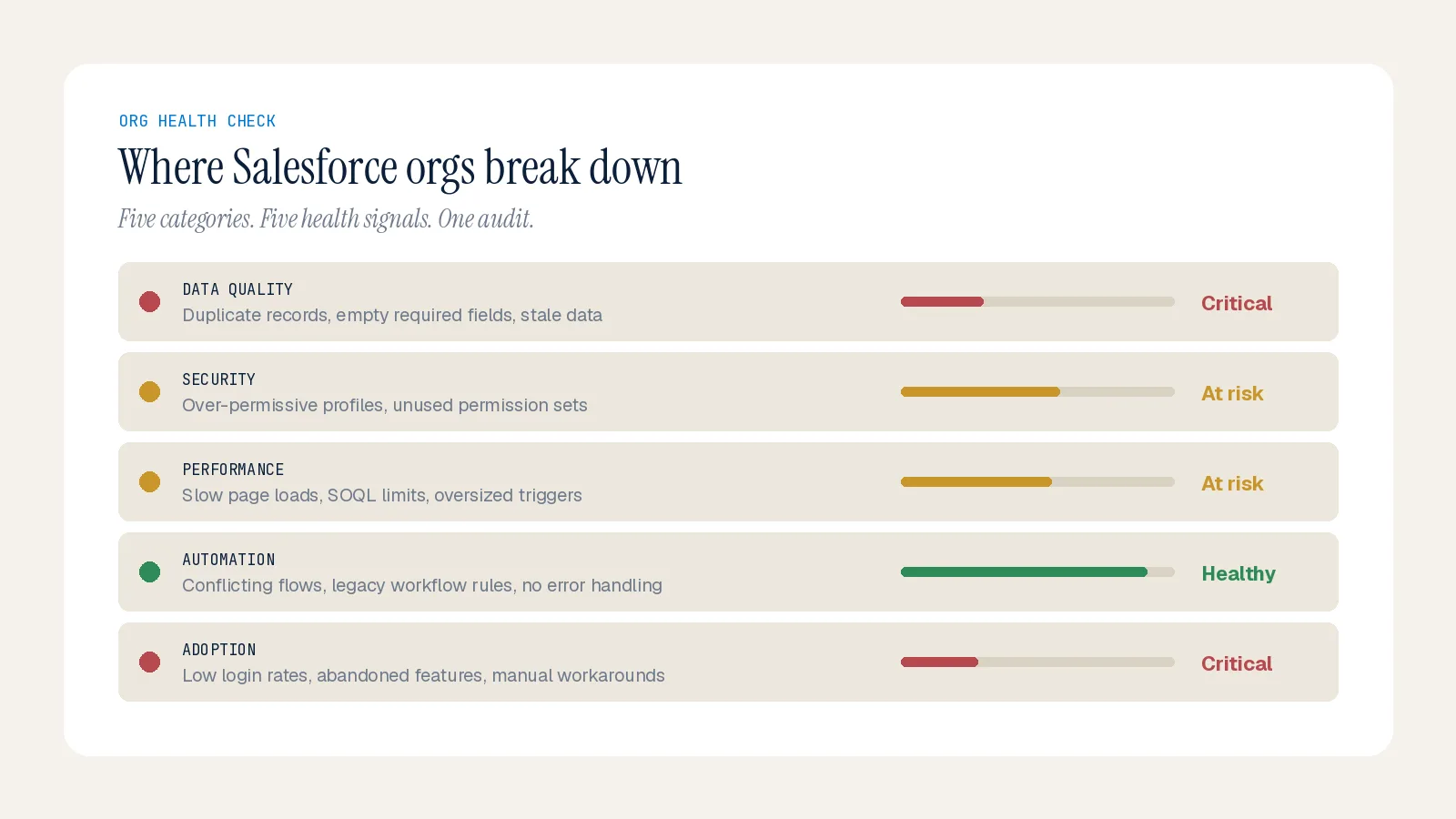
The 12 Warning Signs
1. Your team keeps shadow spreadsheets. When reps track deals outside Salesforce, the data inside has lost their trust — usually from duplicates, inconsistent fields, or missing pipeline history.
2. Leadership stopped citing the dashboards. If executives make decisions from exported data or stopped referencing Salesforce reports in meetings, your org is leaking confidence. It's usually inconsistent stage definitions, poor close-date hygiene, and late updates.
3. Pages load slowly. Slowness is rarely the internet. It's heavy Lightning components, bloated automations, unoptimized queries triggered by record changes, or approaching governor and API limits that quietly throttle throughput.
4. Duplicate records everywhere. Duplicate accounts, contacts, and leads erode forecasting accuracy and waste rep time. Without duplicate management and matching rules, bad records enter at the door.
5. Admins are always firefighting, never improving. If your admin team spends every hour fixing issues and never optimizing, the org has out-paced its governance. A well-run org frees admin time for continuous improvement.
6. Unplanned org sprawl. New teams, products, and business units got added without an architecture strategy — so you have overlapping custom objects, fields that mean different things to different teams, and unmanaged page layouts. This makes every change risky and onboarding slow.
7. Legacy automation still running. Workflow Rules and Process Builder reached end of support on December 31, 2025. If you're still running them, you're depending on tools Salesforce no longer maintains — bugs won't be fixed, security issues won't be patched.
8. Overlapping, unpredictable automation. Multiple Process Builders and Flows doing the same job, triggers firing in unpredictable orders, and automation that isn't bulkified and breaks on a data import. This is automation debt, and it's among the most dangerous kinds.
9. Code smells in your Apex. Hard-coded IDs that break between environments, SOQL queries inside loops, classes on old API versions, and test methods that hit 75 percent coverage but validate nothing. These are silent until a deployment fails.
10. A low Security Health Check score. Salesforce's built-in tool grades your org against its security baseline. Lingering access from inactive users, over-permissioned profiles, missing MFA, and misconfigured sharing rules all show up here — and high-risk flags should be addressed immediately.
11. You pay for features you never use. Unused Einstein, Experience Cloud, or CRM licenses, plus installed-but-dormant managed packages, represent both cost leakage and complexity that makes the org harder to maintain.
12. Deployments are slow and risky. When releases regularly take more than a week due to conflict resolution, your test suite takes 30+ minutes and still fails, or no one understands more than a fraction of the existing configuration — your technical debt has become an active drag on innovation.
What an Audit Actually Looks Like
A good health check is hybrid — automated analysis plus hands-on evaluation. Run Optimizer first to list unused fields, inactive workflows, and stray profiles; it produces a prioritized cleanup list. Pull the Security Health Check next for a single baseline score and fix high-risk items like session timeouts and password rules. Then use Login History and Event Monitoring to see real adoption and spot API spikes, and Duplicate Management plus Field Audit Trail to verify data integrity. The native tools surface the obvious issues; a hands-on review catches the deeper inefficiencies tools alone miss — and, crucially, connects each technical gap to a business consequence.
Then prioritize by impact. Not every issue needs immediate attention. Categorize findings by severity, fix the ones that restore customer experience or close security gaps first, and use quick wins to build momentum. A health check should never end with a report — it ends with assigned owners, due dates, and fixes validated against measurable targets.
Why This Matters More in 2026
The stakes have risen. Companies that want to unlock Agentforce and Einstein AI are discovering their own messy org data and broken automations are the bottleneck. A clean org means faster project delivery, more reliable deployments, lower regression risk, and faster adoption of new features. A degraded one means every small improvement becomes risky change management. Technical debt isn't a failure — it's a sign your business has grown and changed. The problem isn't having debt; it's not having a plan to pay it down.
Summary
Your org tells you when it needs help — through shadow spreadsheets, distrusted dashboards, slow pages, and admins who never get ahead. If four or more of these twelve signs feel familiar, an audit is the fastest way to get clarity on what's slowing your teams down and what to fix first. As a nearshore Salesforce partner, Inforge runs structured health checks that connect the technical findings to business impact and hand you a prioritized, owned roadmap. If your org is showing these signs, the Inforge team can help you diagnose it.
Frequently Asked Questions
Q: How often should we run a Salesforce health check? A: At least once or twice a year for most organizations, with lighter quarterly reviews. Run one sooner if you're planning an Agentforce or Einstein rollout, since AI readiness depends on clean data and well-structured automation.
Q: Can't I just run Salesforce Optimizer and call it done? A: Optimizer and the Security Health Check are excellent starting points and quantify the obvious debt, but they don't cover business-logic gaps, adoption challenges, or long-term optimization. A comprehensive audit pairs the native tools with hands-on review.
Q: What's the most common warning sign? A: Data the team doesn't trust — duplicate records and shadow spreadsheets. It's usually the first visible symptom of deeper configuration and governance problems.
Q: When is a rebuild better than a cleanup? A: When deployments routinely take over a week, the test suite is slow and failing, the org is 10+ years old with no documentation, and no one understands most of the configuration. In those cases a phased migration to a parallel org is often cleaner and faster than remediation.
