Is Your Salesforce Org Holding You Back? Signs It's Time for a Health Check
Your Salesforce org is probably underperforming right now — and the frustrating part is that most teams don't realise it until something breaks loudly. A slow page load, a failed automation, a forecast nobody believes. The problems were always there. They just built up quietly.
A Salesforce org health check is the structured answer to that slow build-up. It's a diagnostic review of everything that actually determines whether your org delivers value: data quality, automation health, security, integrations, technical debt, and user adoption. Not just the surface-level security score your built-in Health Check tab produces.
At Inforge, a Salesforce consultancy that runs its entire delivery model on AI agents, we see the same patterns repeat across mid-market orgs. Here's how to know when your org needs attention — and what happens if you wait.
Key Takeaways:
Technical debt in Salesforce accumulates silently — in flows nobody owns, fields nobody uses, and automations nobody monitors.
Poor data quality doesn't just hurt reporting; it actively blocks AI initiatives like Agentforce from working reliably.
The warning signs are usually visible long before the business impact becomes undeniable.
A structured health check covers security, data, automation, integrations, performance, and adoption — not security alone.
Orgs that address debt proactively ship changes faster and onboard new admins in a fraction of the time.
What a Salesforce Org Health Check Actually Covers
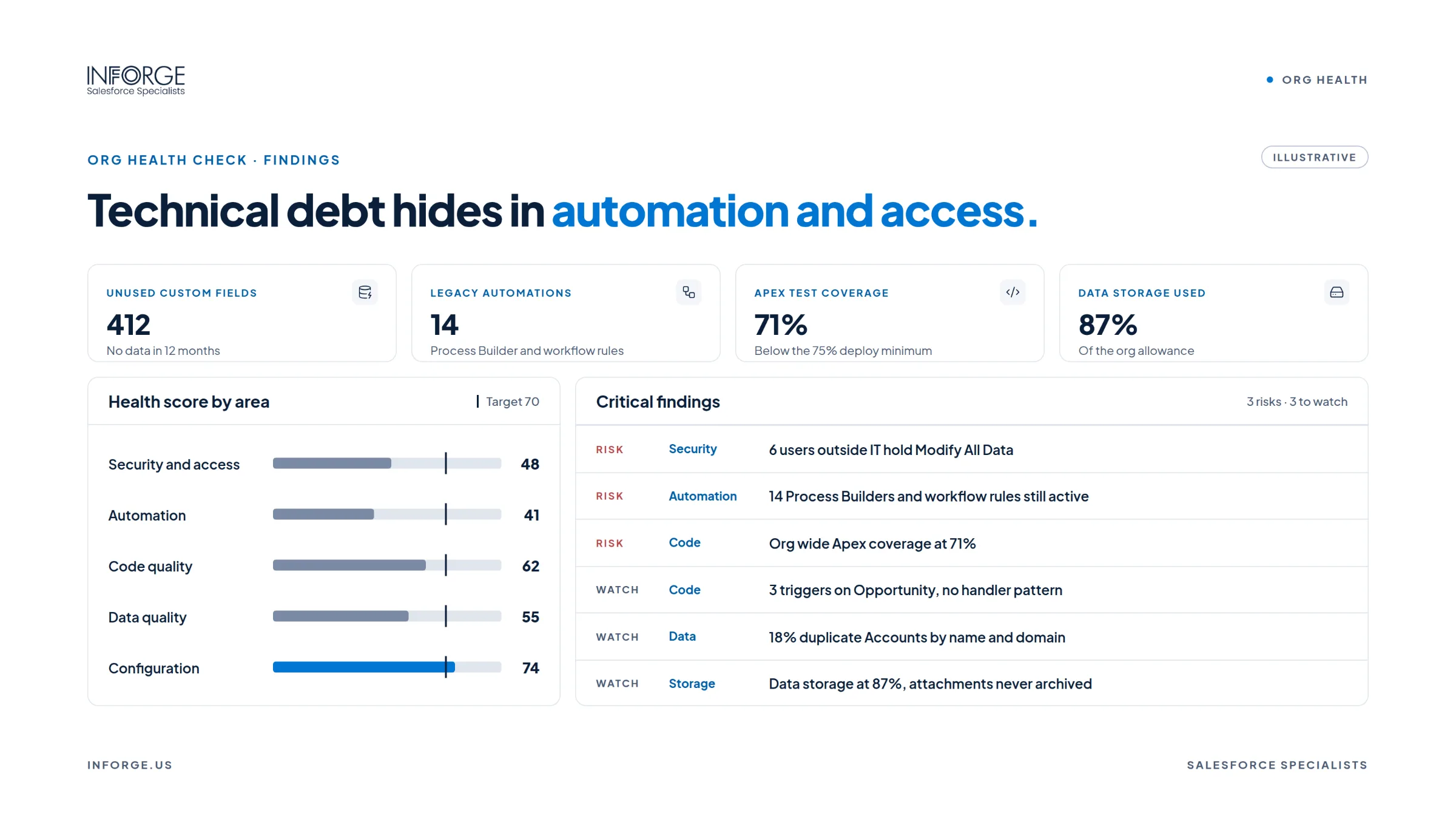
A genuine health check is not a single-button scan. It reviews the full picture of your org's operational fitness across six core areas: security and access, data quality, automation and flows, integrations, performance and technical debt, and user adoption.
Salesforce's native Health Check tool covers one dimension — security settings. That's useful, but it leaves the other five entirely unexamined. An org can pass its built-in security score and still be grinding its users down with slow pages, broken automations, and data nobody trusts.
Quick Answer: Your Salesforce org needs a health check when your team is logging workarounds, reports are losing credibility, deployments are getting harder, or you're planning to add AI capabilities. These are the signals that accumulated issues have started affecting business outcomes.
Sign #1: Your Data Is No Longer Trustworthy
When sales managers stop trusting their own pipeline dashboards, the org has a data problem — not a reporting problem.
According to Salesforce's State of Data and Analytics report, data and analytics leaders estimate that 26% of their organisation's data is untrustworthy. In a CRM context, that gap has a direct cost: bad data breaks decisions, wastes rep time, and feeds AI agents the wrong inputs.
The specific numbers are difficult to ignore. According to Validity's State of CRM Data Management in 2024, 31% of CRM admins say poor-quality data costs them at least 20% of annual revenue. Research from the IBM Institute for Business Value puts the financial impact in sharper terms: more than a quarter of organisations estimate they lose over $5 million annually due to poor data quality.
The root causes are consistent across orgs: duplicate records from web forms and integrations, incomplete fields, data decay as contacts change roles, and disconnected systems with no single source of truth. According to Cloudingo's 2025 data quality research, up to 70% of B2B data degrades annually as people change roles or companies.
If your team has stopped asking Salesforce for the answer and started exporting to spreadsheets instead, the data layer of your org needs a health check.
Sign #2: Automations Are Getting Harder to Trust and Maintain
Automation debt is the most invisible category of org decay — and also one of the most dangerous.
Flows break silently. Automations conflict with each other. Custom objects created for a project last year never get cleaned up. According to median findings from 1,000+ Salesforce technical debt audits compiled by Clientell, the typical mid-market org contains 418 unused custom fields and 1,844 inactive Flows cluttering the metadata graph.
The operational signal is usually a developer or admin who says a change they expected to take a day took two weeks — because the org's automation layer is a maze of interdependencies nobody fully mapped.
As CRMHacker's technical debt research observes, when every release requires a forensic investigation, the org is no longer merely untidy — it is constraining the operating model.
There's a specific technical benchmark worth knowing: the median four-year-old mid-market Salesforce org sits at 29% Apex test coverage. Salesforce requires 75% to deploy. That gap doesn't just slow your team down — it means the org can physically block new changes from reaching production.
Sign #3: Users Are Working Around Salesforce, Not Through It
When your team treats Salesforce as a filing system rather than a working environment, you have an adoption problem — and it almost always traces back to org design issues, not user behaviour.
According to the IBM State of Salesforce 2025–2026 study, which surveyed over 1,200 Salesforce customers, only 26% of organisations had the majority of their customer data actually inside Salesforce. Three out of four organisations run a CRM that does not hold most of their customer data.
The warning signs are behavioural: teams avoid features they were trained on, records stay incomplete, forecasts and dashboards lose credibility, and managers rely on side systems or manual workarounds. According to Whatfix's Salesforce adoption research, only about one-third of sales professionals fully trust their CRM data — and poor data quality costs the average company $12.9M annually.
Low adoption rarely starts with users deciding to ignore the system. It starts with broken or unclear workflows, automation that behaves inconsistently, and page layouts that don't match how people actually work. As Capterra's CRM data shows, the average employee uses only 62% of the features already sitting inside their CRM.
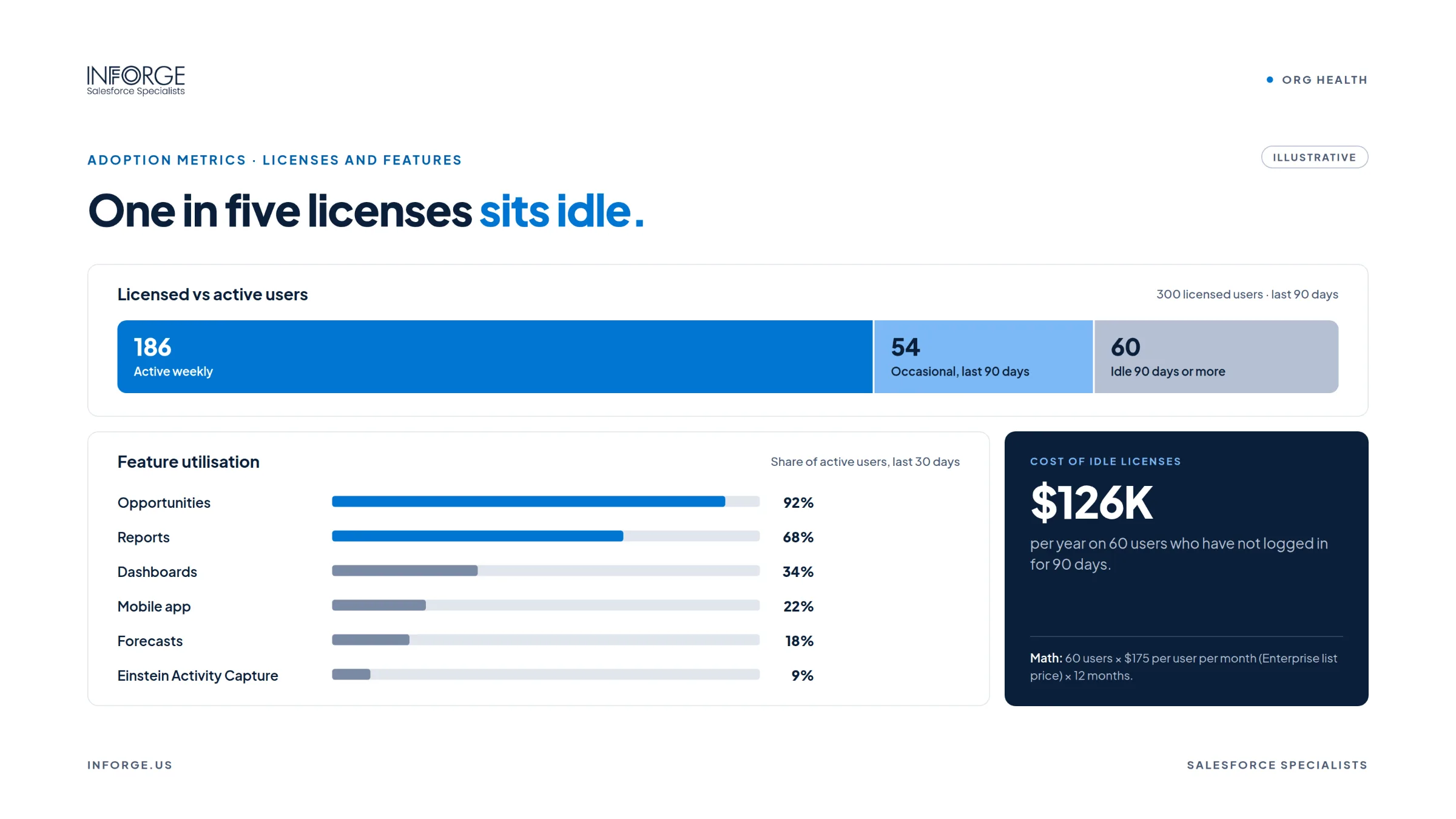
If your Salesforce implementation is high on licence spend and low on genuine usage, a health check will tell you exactly why.
Sign #4: Every New Change Takes Longer Than It Should
This is the most reliable leading indicator that technical debt has reached a critical level.
According to Spyrosoft's 2026 Salesforce health check guide, without regular review, small issues turn into Salesforce technical debt, poor data quality, reporting problems, and slower delivery of new changes. The cumulative effect is that what could be a simple update — adding a field, modifying a flow, changing an assignment rule — becomes a risk-managed change event.
The specific mechanisms that slow delivery are well-documented: Apex and formula fields with hardcoded IDs, unpredictable triggers or flows that scale poorly, dormant or redundant process automation, managed packages installed but not used, and API classes based on outdated versions. According to Congruent Software's 2026 health check guide, regression failures increase, deployments become unpredictable, and sandbox-to-production behaviour becomes inconsistent.
New admins feel this directly. A cluttered, undocumented org takes 8–12 weeks for a new hire to understand, where a clean org would take 2–4 weeks. If your admin onboarding has become an extended archaeology project, that's a sign the org has outgrown its documentation and architecture.
Sign #5: You're Planning to Add AI — and the Org Isn't Ready for It
This is the most pressing reason to run a health check in 2025 and 2026. AI capabilities — Agentforce in particular — do not fix a broken org. They amplify whatever is already there.
As Kizzy Consulting's Agentforce readiness research puts it directly: if your Salesforce org contains duplicate records, outdated automation, inconsistent permissions, or poorly defined business processes, an AI agent can amplify those weaknesses instead of solving them.
The readiness benchmarks are stark. According to median data from Agentforce readiness scans compiled by Clientell, 70% of Salesforce orgs score below 70 on AI readiness on the first assessment attempt. The industry average score is 38 out of 100. The minimum score for a smooth Agentforce deployment is 70.
Four dimensions determine readiness: data quality (30% weight), automation overlap (25%), process clarity (25%), and permission hygiene (20%). The worst-performing dimension, on average, is permission hygiene — which sits at a median of 31 out of 100 on first scan.
According to Gartner's 2025 analysis, 60% of AI projects unsupported by AI-ready data will be abandoned through 2026. The bottleneck isn't access to AI capability. It's that most orgs aren't yet structured to delegate reliably to it — and a health check is the diagnostic that tells you specifically what needs to change before any AI agent touches your data.
What a Health Check Actually Produces
A well-run Salesforce health check doesn't produce a list of problems. It produces a prioritised remediation roadmap.
The output should tell you which findings are critical (capable of causing a security breach or revenue failure), which are high-priority (blocking delivery or causing operational risk), and which can be planned for a later sprint. Security or access exposure, revenue processes that require manual rescue, unreliable executive reporting, and integration failures that run silently — these are the critical tier.
At Inforge, our health check process also evaluates Agentforce readiness explicitly — because for most mid-market orgs, AI deployment is the next major initiative on the roadmap, and the org's current state determines whether that initiative succeeds or stalls.
The time investment is manageable. A structured health check across all six domains typically takes less time than fixing one major incident caused by ignoring the early warning signs.
Summary
A Salesforce org health check is not a reactive measure. It is the infrastructure work that determines whether your CRM can keep pace with your business — and whether AI capabilities you invest in will actually work. The five signs above — untrusted data, automation debt, low adoption, slow delivery, and AI unreadiness — are all detectable long before they become crises. At Inforge, we run health checks as the first step of every engagement, because the fastest path to a high-performing Salesforce org is knowing precisely where it stands today.
Frequently Asked Questions
Q: How often should a Salesforce org have a health check?
A: An annual health check is the baseline recommendation, with a targeted review any time there's a significant change — a major implementation, a new integration, a team restructure, or a planned AI rollout. Orgs that change rapidly may benefit from quarterly reviews of the highest-risk domains.
Q: Is a Salesforce health check the same as the built-in Health Check tool?
A: No. The native Health Check tool in Salesforce evaluates security settings only — it does not assess data quality, automation health, technical debt, user adoption, or integrations. A full org health check covers all six domains.
Q: What's the most common finding in a Salesforce health check?
A: Technical debt in the automation layer is the most consistent finding across mid-market orgs. This includes inactive Flows that remain in the metadata, legacy Workflow Rules still firing alongside modern Flows, and low Apex test coverage that blocks deployments.
Q: Can we run a health check internally, or do we need outside help?
A: Internal teams can run a basic audit using tools like Salesforce Optimizer. However, a structured health check that covers architecture, process design, integrations, and ownership patterns — and produces a prioritised remediation roadmap — typically requires an objective external perspective, especially when the org's complexity is part of the problem.
Q: Do we need a health check before implementing Agentforce?
A: Yes — this is one of the clearest triggers for a health check. Agentforce reads your data, executes against your automation rules, and operates within your permission model. Deploying an AI agent into an org with data quality issues, automation conflicts, or over-provisioned permissions will produce unreliable agent behaviour. A health check before any AI deployment is the responsible first step.