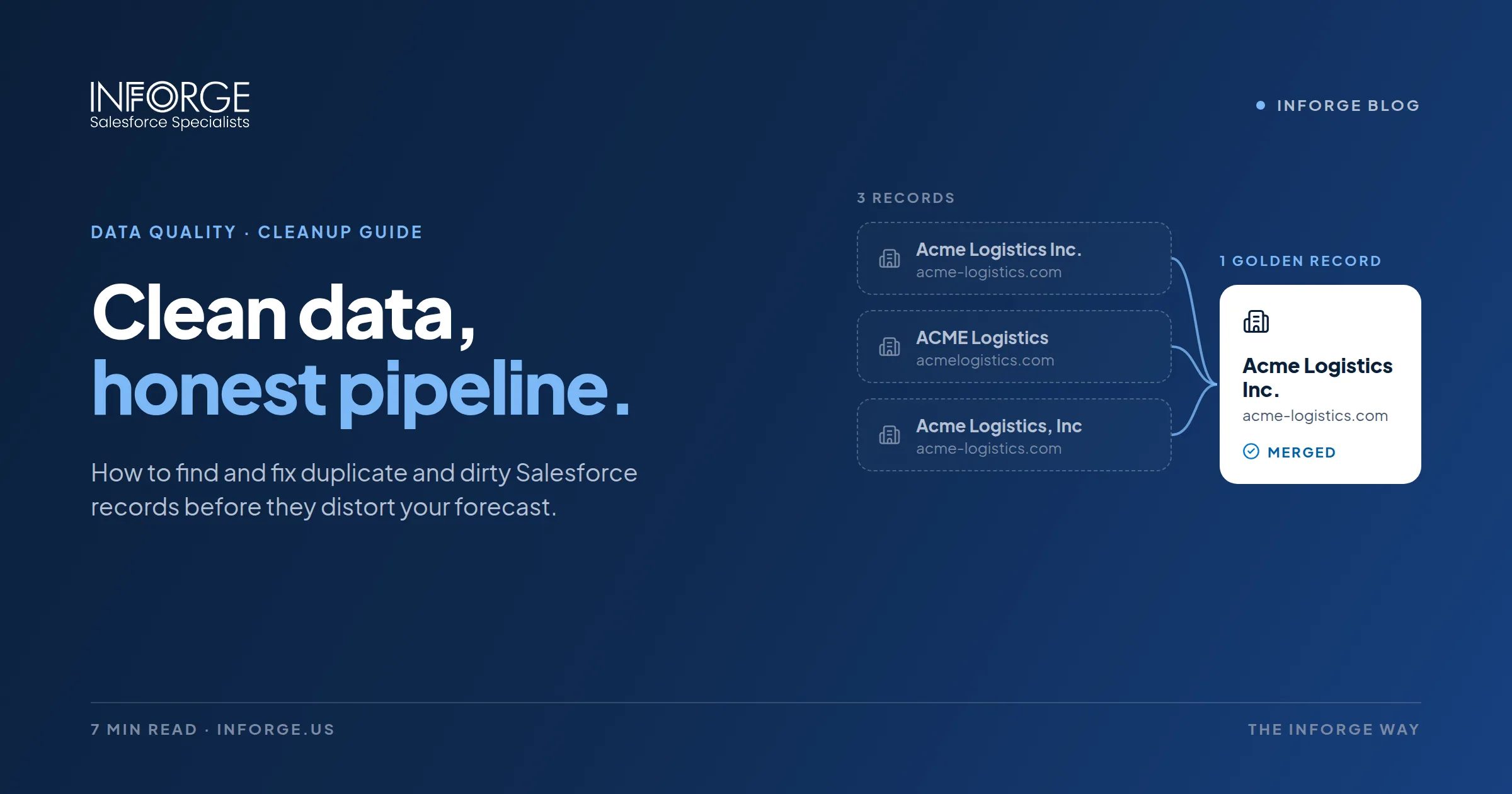
How to Clean Up Duplicate and Dirty Data in Salesforce Before It Hurts Your Pipeline
Start with an audit, fix the highest-impact objects first, merge duplicates with clear survivorship rules, standardize your fields, then put prevention in place so the mess doesn't come back. Dirty data in Salesforce isn't just an admin headache. It inflates your pipeline, misroutes leads, breaks automation, and gives leadership a forecast they can't trust. And with AI tools now acting on that data, the cost of bad records is going up fast.
Quick Answer: To clean up duplicate and dirty data in Salesforce, audit data quality on your core objects (Leads, Contacts, Accounts, Opportunities), set up Matching Rules and Duplicate Rules, merge existing duplicates using a defined master record policy, standardize picklists and formats, archive or delete stale records, and then lock in prevention with validation rules, required fields, and a named data owner. Most mid-market orgs can complete an initial cleanup in weeks, not months.
Key Takeaways:
62% of organizations report losing revenue directly because of poor CRM data quality, according to Validity's State of CRM Data Management in 2026 report.
Only 21% of marketers say their CRM data is very well prepared to support AI, per the same report.
Gartner estimates poor data quality costs organizations an average of $12.9 million per year.
Duplicates, incomplete records, and stale opportunities distort pipeline reporting and forecasts before anyone notices.
Cleanup is a one-time project. Data quality is an ongoing process that needs rules, automation, and an owner.
The Real Cost of Dirty Data in Salesforce
Most Salesforce teams know their data isn't perfect. Few realize how much it's costing them.
Validity's State of CRM Data Management in 2026 report, based on a survey of 500 marketing professionals, found that 62% of organizations lose revenue directly due to poor CRM data quality. Nearly a third of teams spend six or more hours a week just fixing and reconciling data. Only 21% say their CRM data is very well prepared to support AI.
Validity's 2025 edition, which surveyed 602 CRM users and administrators, found that 76% said less than half of their CRM data was accurate and complete. 46% of companies didn't have a single full-time employee responsible for CRM data quality.
At the macro level, Gartner estimates that poor data quality costs organizations an average of $12.9 million every year.
In Salesforce, that cost shows up in very specific ways:
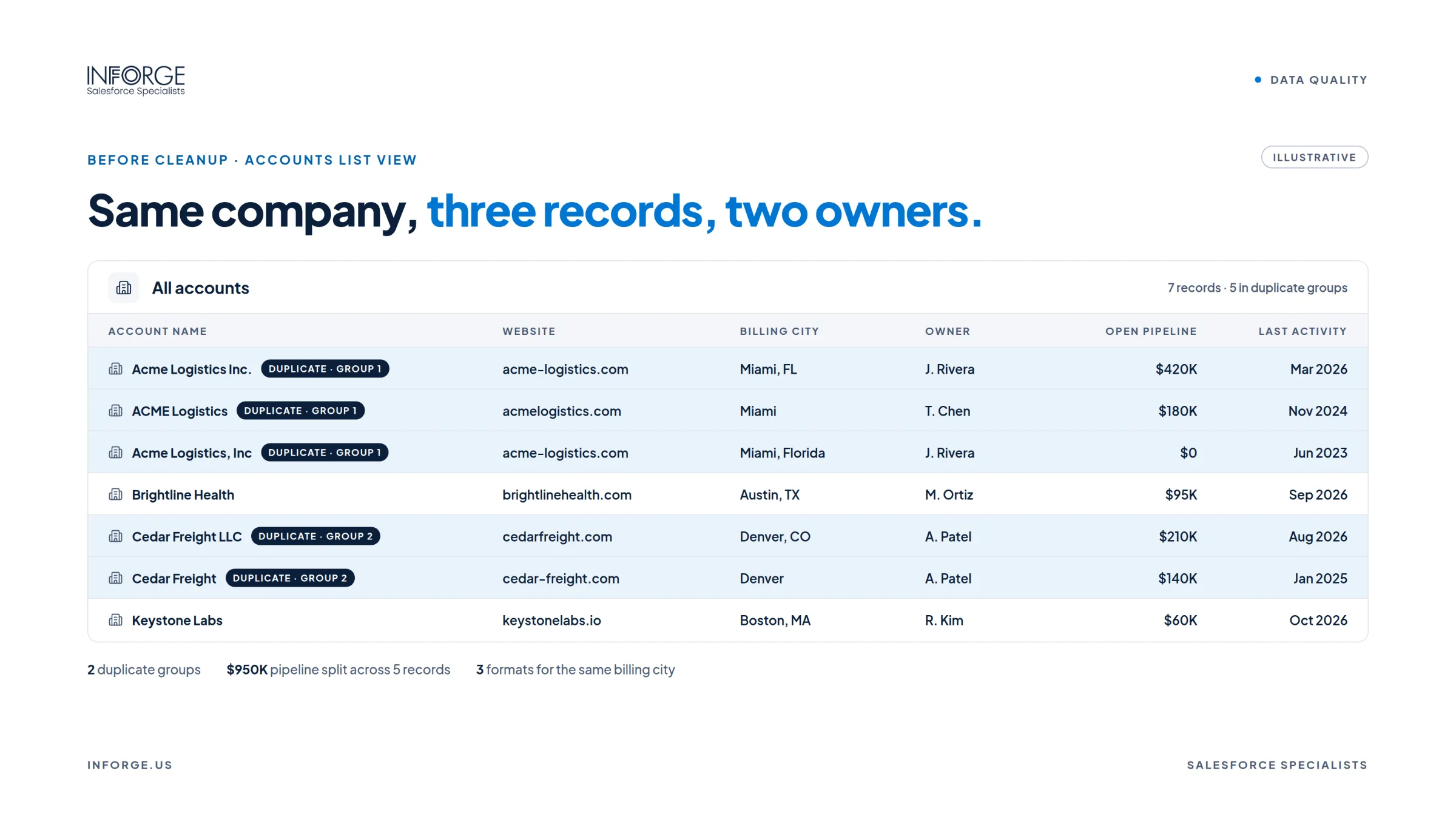
Inflated pipeline. Stale opportunities with close dates in the past sit in the forecast, making the quarter look healthier than it is.
Misrouted leads. Duplicate leads and accounts send the same prospect to two reps, or to no one.
Broken automation. Flows and assignment rules fail when fields are blank or values don't match the expected format.
Bad AI output. Einstein, Agentforce, and any AI tool working off your org will confidently act on wrong data.
Lost rep trust. When reps stop trusting the data, they stop updating it, and the cycle gets worse.
The bottleneck isn't Salesforce. It's the data you're feeding it.
Where Dirty Data Comes From
Before cleaning anything, it helps to understand the sources so you can shut them off.
Manual entry. Reps create new records instead of searching for existing ones, especially under time pressure.
Imports and list uploads. Event lists, purchased data, and marketing uploads often arrive with no deduplication.
Integrations. Marketing automation, web forms, and ERP syncs can create duplicates when matching logic isn't aligned.
No standards. Free-text fields for country, state, industry, or job title produce dozens of variations of the same value.
No ownership. When nobody owns data quality, small problems compound for years.
How to Clean Up Salesforce Data: A Six-Step Process
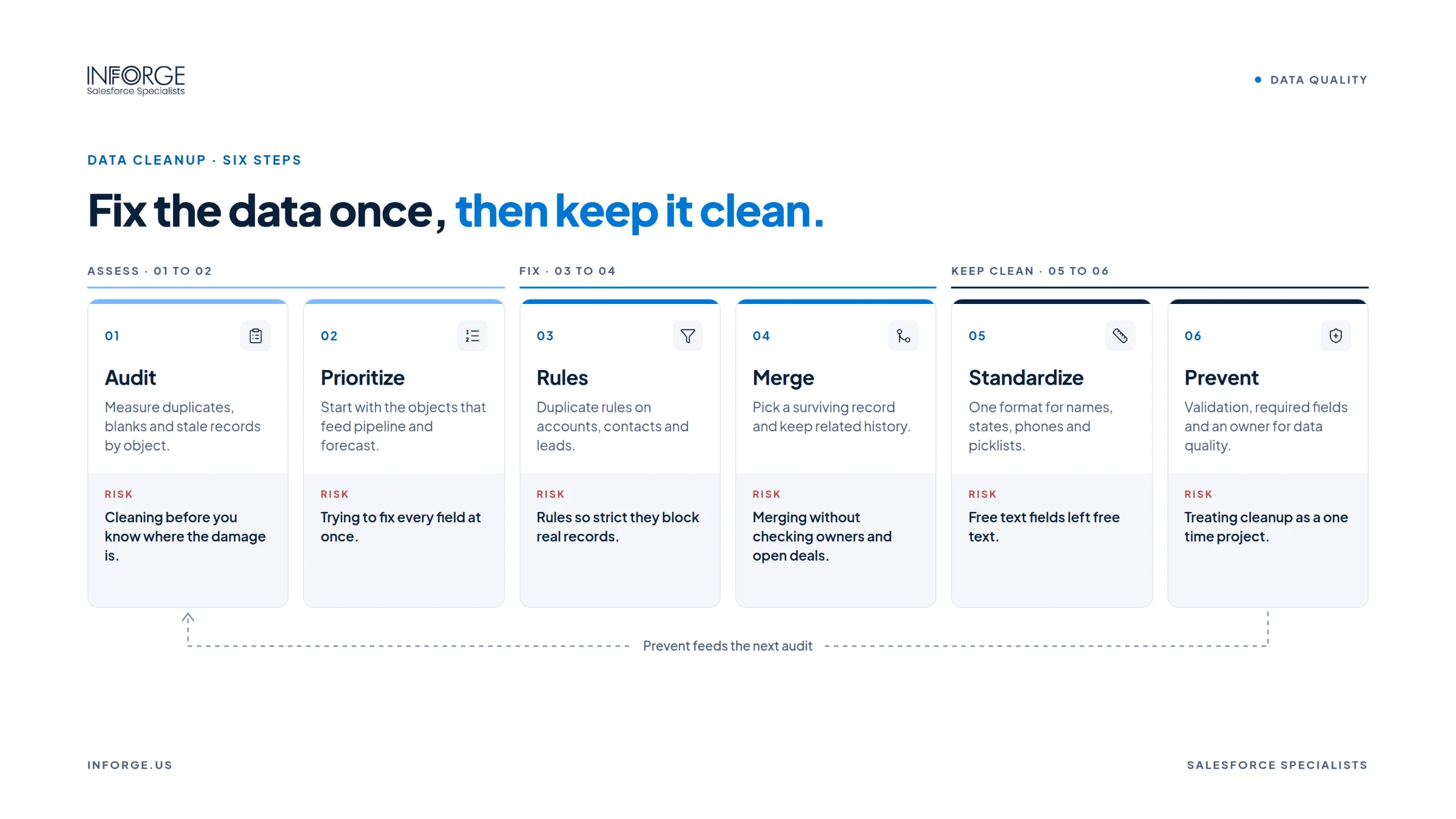
Step 1: Audit your data quality
Start with a baseline. Pull reports on your core objects (Leads, Contacts, Accounts, Opportunities) to measure duplicate rates, blank required fields, invalid emails and phone numbers, records with no activity in 12 months or more, and opportunities with past close dates still marked open. Salesforce's built-in duplicate reports and AppExchange data quality tools can speed this up. Write down the numbers. They become your before-and-after proof.
Step 2: Prioritize by pipeline impact
Don't try to fix everything at once. Start with the data that touches revenue: open opportunities, active accounts, and leads from the last 6 to 12 months. A clean pipeline view is worth more than a perfectly deduplicated archive of contacts from 2017.
Step 3: Set up Matching Rules and Duplicate Rules
Salesforce includes native Matching Rules (which define what counts as a duplicate) and Duplicate Rules (which define what happens when one is found). Configure them for Leads, Contacts, and Accounts using fields like email, company domain, phone, and normalized company name. Start in alert mode so users see warnings, then move to block mode once the rules are tuned.
Step 4: Merge existing duplicates with clear survivorship rules
Before merging, decide which record wins and which field values survive. Common rules: keep the oldest record (it usually has the most history), keep the most recently updated field values, and never lose ownership, activities, or opportunity history. Salesforce's native merge handles small volumes, but large orgs typically need a bulk deduplication tool from the AppExchange. Always back up data before mass merges.
Step 5: Standardize and enrich
Convert free-text fields to picklists where possible (country, state, industry, lead source). Normalize formats for phone numbers, company names, and addresses. Fill critical gaps using enrichment tools or targeted rep outreach. Archive or delete records that are clearly dead: bounced emails, closed businesses, and contacts with no activity in years.
Step 6: Lock in prevention
Cleanup without prevention is temporary. Add validation rules to enforce formats, make key fields required at the right stage, configure integrations to match before creating, and build a data quality dashboard that tracks duplicates and completeness over time. Most important, assign a named owner for data quality.
Cleanup Is a Project. Data Quality Is a Process.
This is the part most teams miss. A one-time cleanup feels great for about three months. Then new imports, new integrations, and new reps slowly bring the duplicates back.
Sustainable data quality depends on three things:
Rules that prevent bad data at entry, like duplicate rules, validation rules, and required fields.
Automation that catches what slips through, like scheduled duplicate jobs and Flows that flag incomplete records.
A person accountable for it, with time set aside every week to monitor the dashboard and fix issues before they spread.
That third piece is where most companies fall short. Validity found that 46% of organizations have no full-time person dedicated to CRM data quality. Even a few hours a week from a dedicated Salesforce admin makes a measurable difference.
Why This Matters More Now: AI Runs on Your Data
If your company is rolling out Agentforce, Einstein, or any AI tool connected to Salesforce, data quality just became urgent. AI doesn't double-check your records. It acts on them.
A duplicate account means an AI agent might email the same prospect twice. A missing field means it can't route correctly. A stale opportunity means it builds forecasts on deals that died months ago. As Validity put it in its 2026 findings, once autonomous tools are involved, bad data stops being a passive error and becomes an active instruction.
At Inforge, we've found that the companies getting the most out of Salesforce AI aren't the ones that bought the most licenses. They're the ones that cleaned their data first, and kept someone responsible for keeping it clean.
Summary
Dirty data in Salesforce distorts your pipeline, breaks automation, and undermines every AI tool you connect to it. With 62% of organizations losing revenue to poor CRM data and Gartner estimating the average cost at $12.9 million a year, cleanup is no longer optional. The process is straightforward: audit, prioritize by pipeline impact, configure duplicate rules, merge with clear survivorship rules, standardize, and lock in prevention with an accountable owner. Cleanup gets you to a clean starting point. Ongoing data quality keeps you there.
Inforge provides nearshore Salesforce admins and consultants who audit, clean, and maintain Salesforce data for US companies, so your pipeline reflects reality.
Frequently Asked Questions
Q: How do I find duplicate records in Salesforce?
A: Set up Matching Rules and Duplicate Rules for Leads, Contacts, and Accounts, then run duplicate record reports to see existing matches. For larger orgs, AppExchange deduplication tools can scan the full database, apply fuzzy matching, and merge records in bulk.
Q: How often should we clean our Salesforce data?
A: Do one comprehensive cleanup, then monitor continuously. Most companies benefit from a weekly data quality check by an admin, plus a quarterly review of duplicate rates, field completeness, and stale records.
Q: Can Salesforce prevent duplicates automatically?
A: Yes. Duplicate Rules can alert users or block them from saving a record that matches an existing one. Integrations should also be configured to match on key fields like email or domain before creating new records.
Q: Should we delete old data or archive it?
A: Archive anything with historical, legal, or reporting value, and delete records that are clearly invalid, like bounced emails and test data. Check your data retention policies and any compliance requirements before deleting at scale.
Q: How long does a Salesforce data cleanup take?
A: For most mid-market orgs, an initial cleanup of core objects takes a few weeks depending on data volume, the number of integrations, and how many duplicates exist. Prioritizing pipeline-related data first delivers value early in the project.
Sources used (for fact checking, not for publishing): Validity State of CRM Data Management 2026 (press release) · Validity 2025 report via MediaPost · Gartner $12.9M data quality estimate, cited from memory, verify before publishing