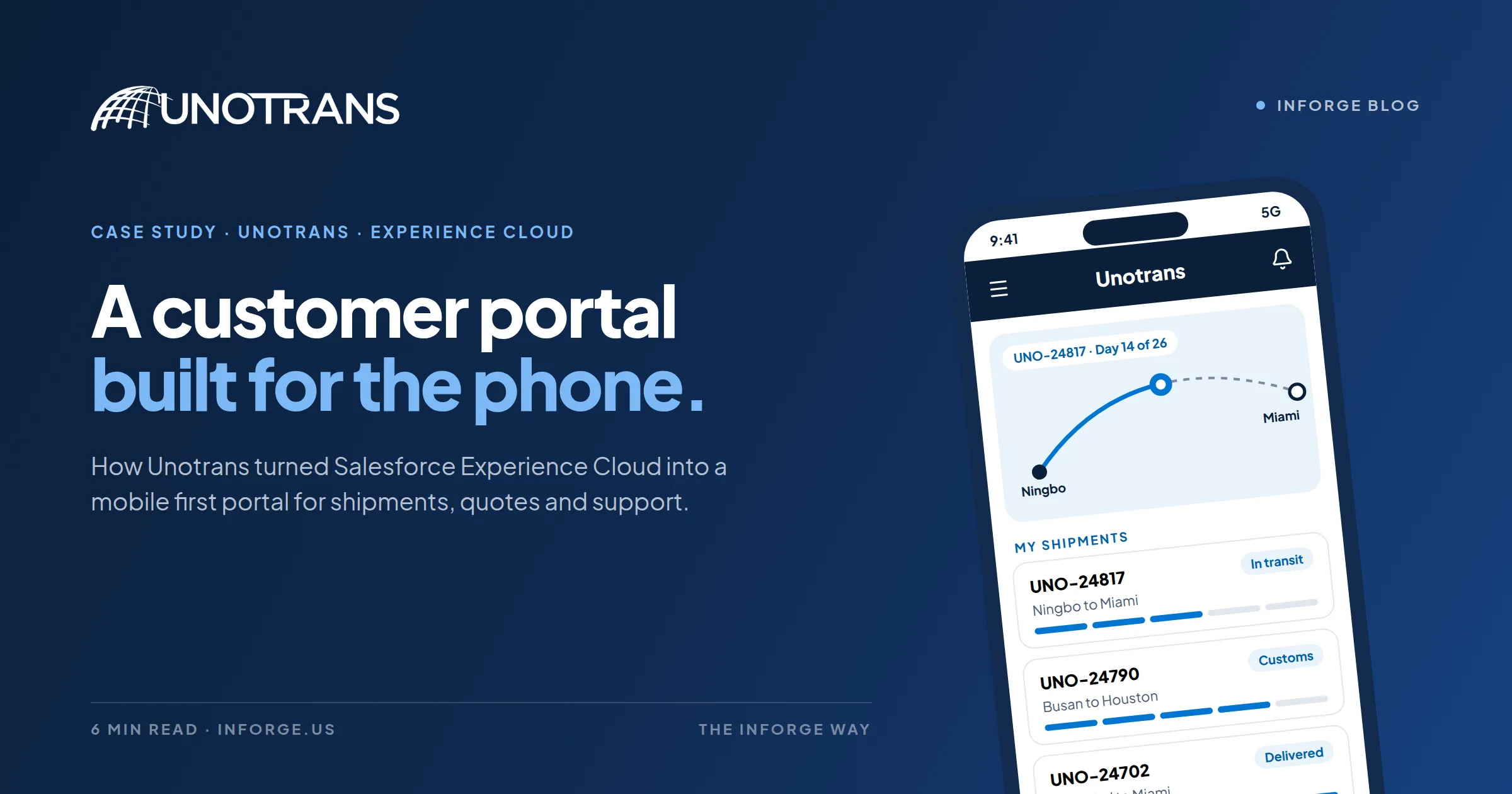
Can Salesforce Experience Cloud Power a Mobile-First Customer Portal? How Unotrans Did It
Yes, and it doesn't have to look like Salesforce. Unotrans, a freight and logistics company, needed to give its customers real-time visibility into their shipments from their phones, and to bring quotes, questions, and invoices into one place. Inforge built a fully custom customer portal on Salesforce Experience Cloud, running on the same Salesforce org Unotrans already used for its CRM. No data migration, no standard Salesforce screens, and a design built for mobile first.
Quick Answer: Inforge built Unotrans a mobile-first customer portal on Salesforce Experience Cloud that sits on top of its existing CRM. Customers can track shipments in real time with a live container map powered by the Shipsgo API, view documents, invoices, insurance, and quotes for each shipment, request new quotes that land in the CRM as Opportunities, and send questions that arrive as Cases for their account coordinator. Unotrans also moved its public website from WordPress to Salesforce, putting the CRM, the website, and the portal on a single platform.
Key Takeaways:
Unotrans customers previously checked shipment status in a Tableau dashboard that lived outside the CRM, and the old portal's poor mobile experience was their top complaint.
The new portal runs on Unotrans's existing Salesforce org, so roughly 12,900 shipments and more than 100,000 history events were available from day one without any migration.
The design is 100% custom and mobile-first, with no standard Salesforce screens.
Quote requests and customer questions now flow straight into the CRM as Opportunities and Cases with an assigned owner, replacing scattered email and WhatsApp threads.
Within the first week, the first customers were already checking their shipments through the portal.
The Problem: Shipment Visibility Lived Everywhere Except Where Customers Needed It
Before the project, Unotrans had the data its customers wanted. It just wasn't reaching them in a usable way.
Shipment status lived outside the CRM. Customers viewed the status of their shipments in a Tableau dashboard that was separate from Salesforce. That meant two systems to maintain and no connection between what customers saw and what the Unotrans team was working on.
The old portal didn't work well on mobile. Logistics customers check on cargo from the warehouse floor, the port, or the road. A portal that was hard to use on a phone was the number one complaint Unotrans heard from its customers.
Container tracking was manual. To find out where a container was, an operations officer had to log into each shipping line's website, look up the container, and then notify the customer. Every status question turned into manual work.
Quotes, questions, and invoices had no central record. Requests came in through email and WhatsApp. There was no single place to see what a customer had asked, who was handling it, or whether it had been answered.
The bottleneck wasn't the data. It was how customers got to it.
What We Built: A Custom Customer Portal on the Same Salesforce Org
A portal on top of the existing CRM, with zero migration
Inforge built the customer portal on Salesforce Experience Cloud using the same Salesforce org Unotrans already relied on for its CRM. Because the portal reads directly from the CRM, there was no data migration. Roughly 12,900 shipments and more than 100,000 shipment history events were available in the portal from the start.
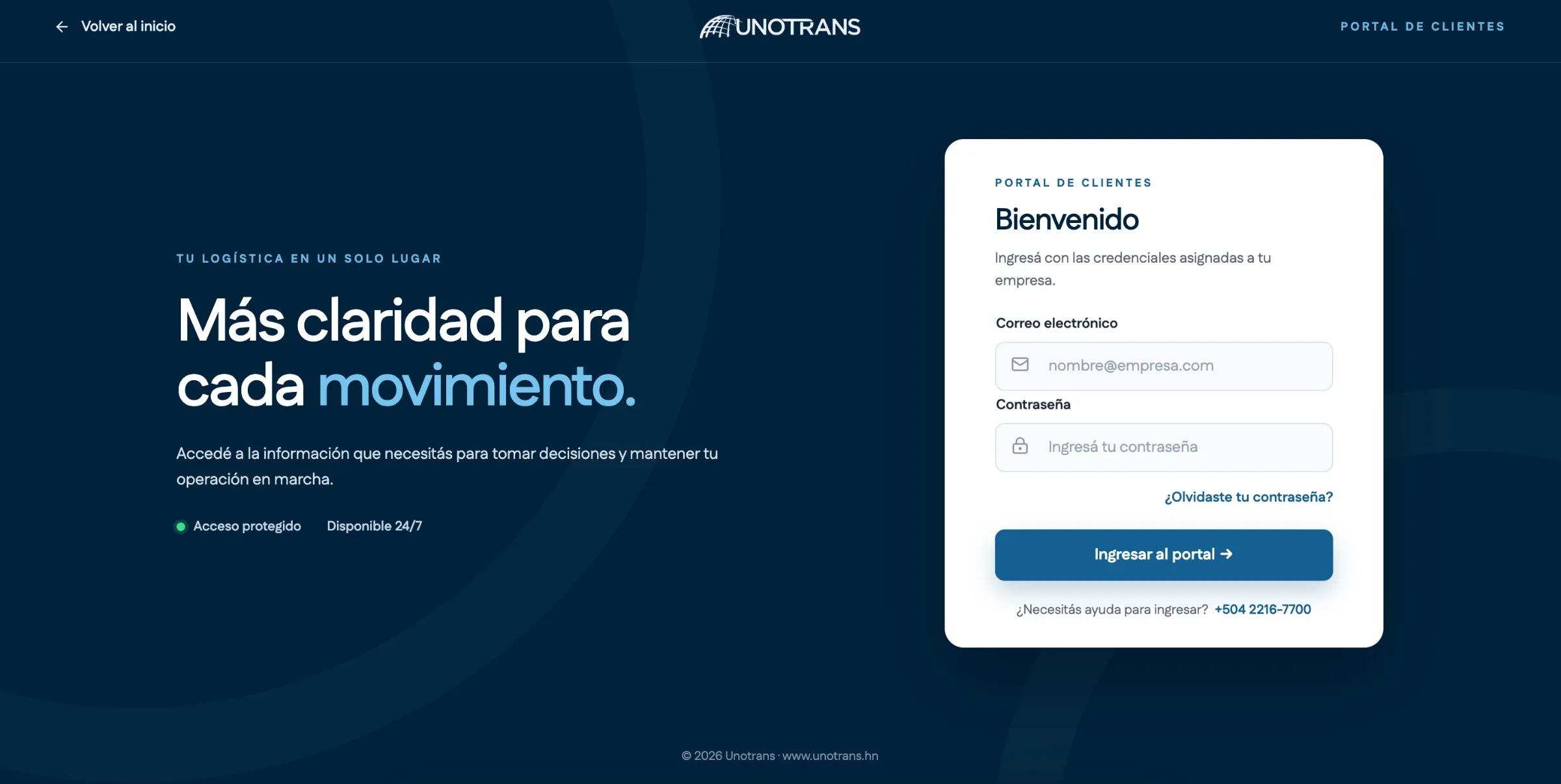
A 100% custom, mobile-first design
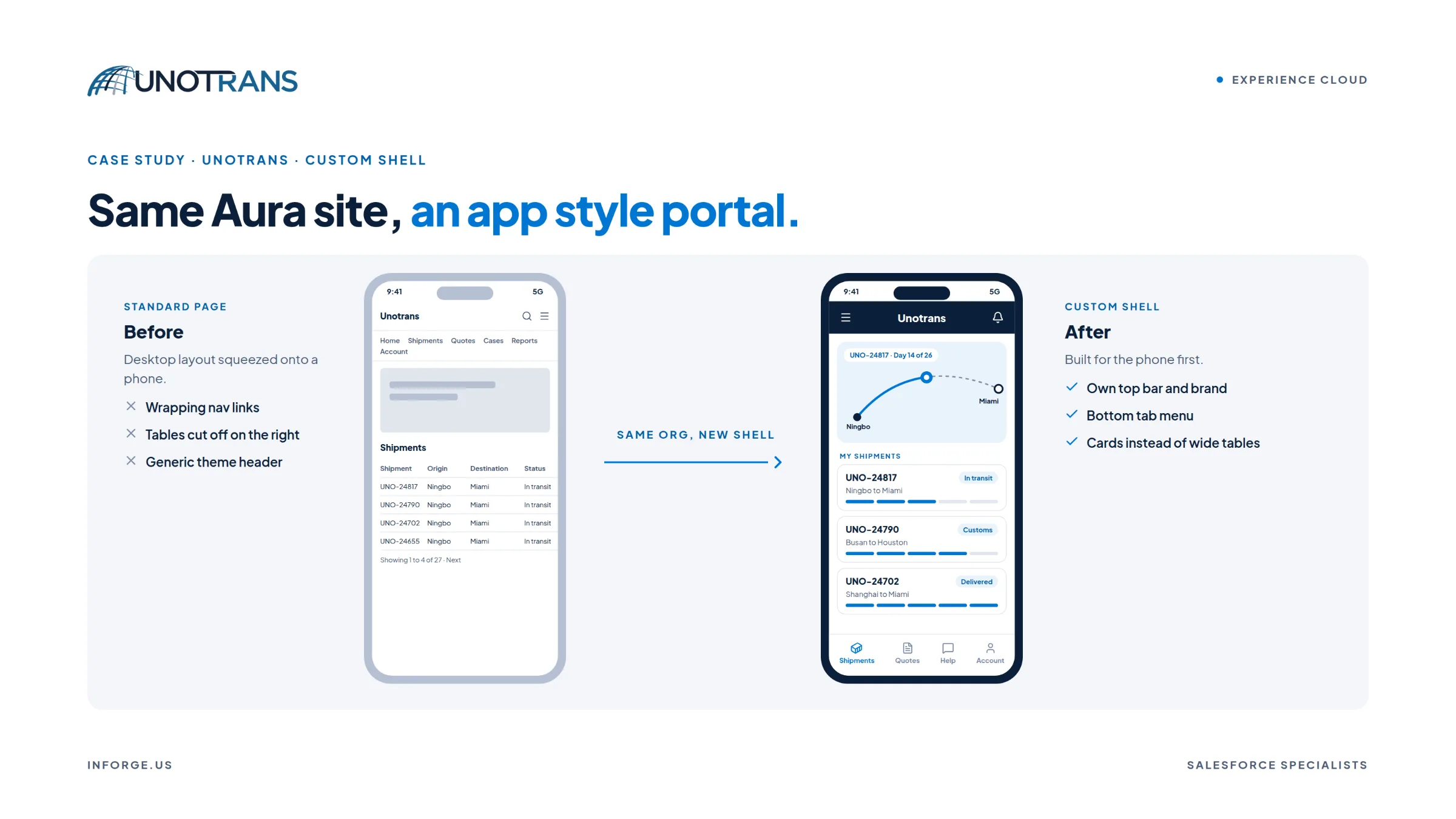
The portal doesn't use any standard Salesforce screens. Every page was designed from scratch, starting with the phone and scaling up to desktop, so it feels like Unotrans's own app rather than a CRM login.
What customers can do in the portal
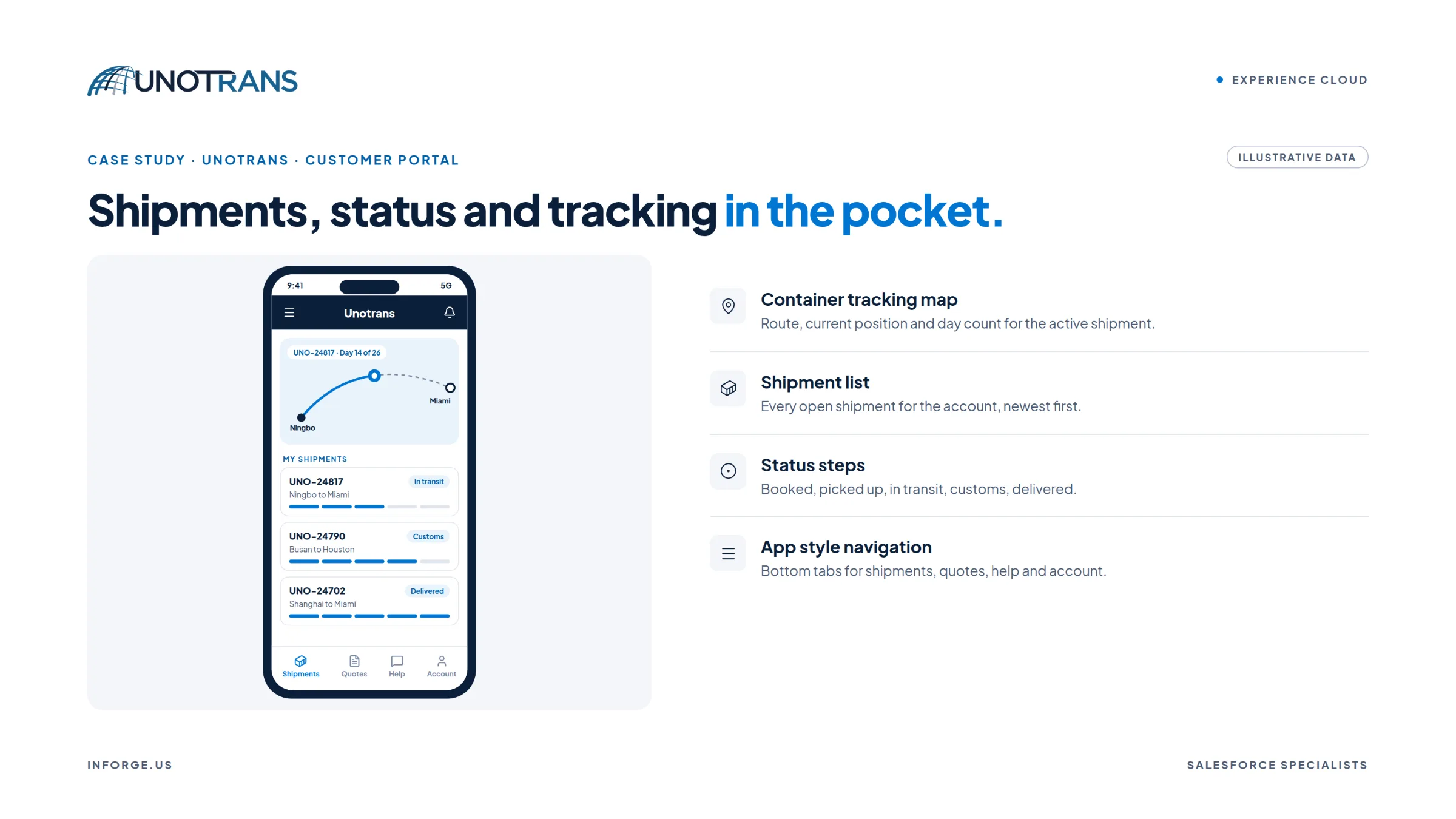
View all of their shipments with filters, see which step each shipment is in, and download a PDF report
Open the detail of any shipment to access its documents, invoices, insurance, and quote
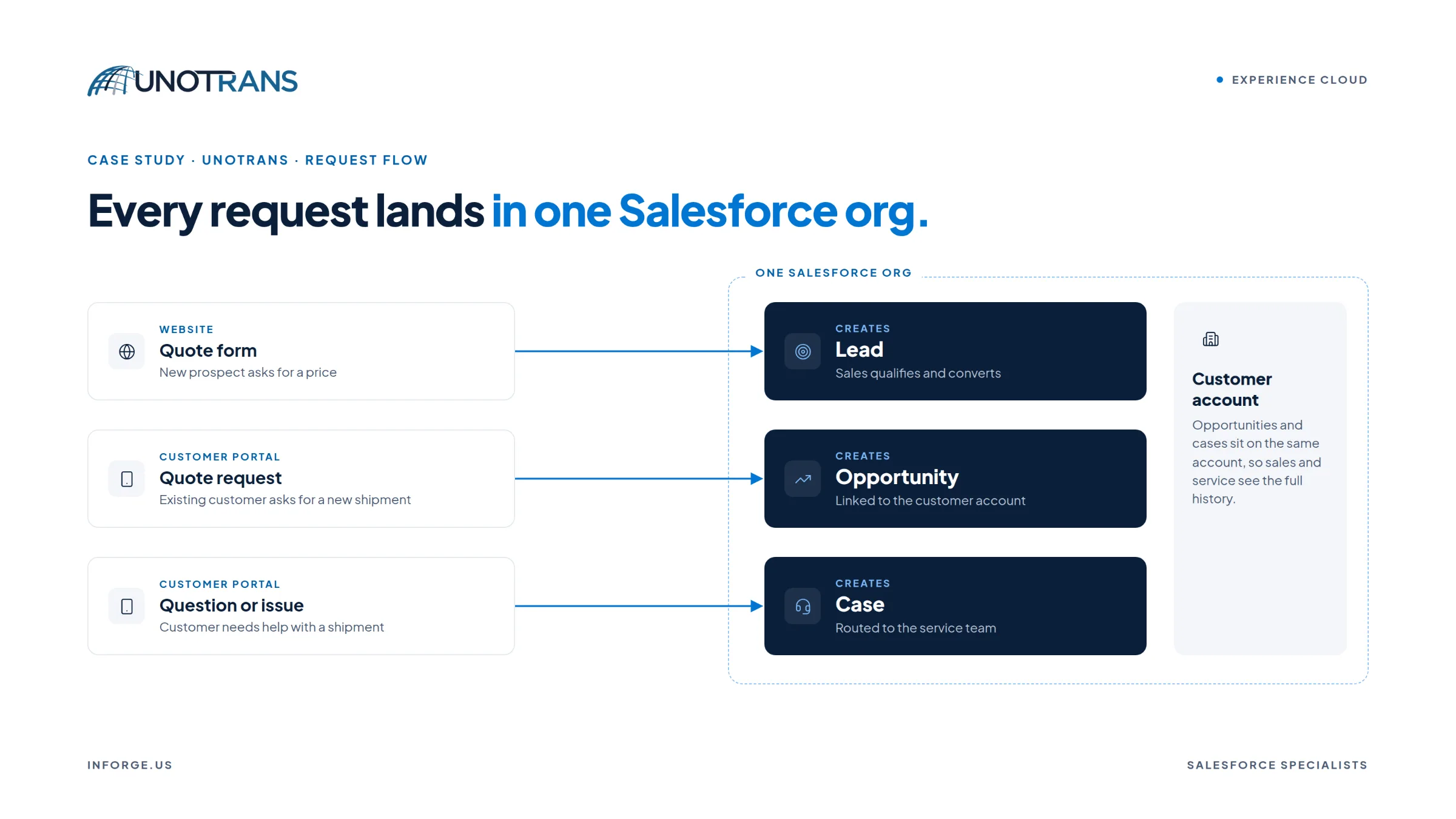
Request a new quote, which enters the CRM as an Opportunity
Send questions that arrive as a Case assigned to the coordinator who manages their account
Switch between accounts if they manage shipments for more than one company
Live container tracking with a map
The portal connects to the Shipsgo API to track containers across shipping lines and show their position on a map. Customers can see where their cargo is without anyone at Unotrans having to check carrier websites and relay updates.
The public website moved to Salesforce too
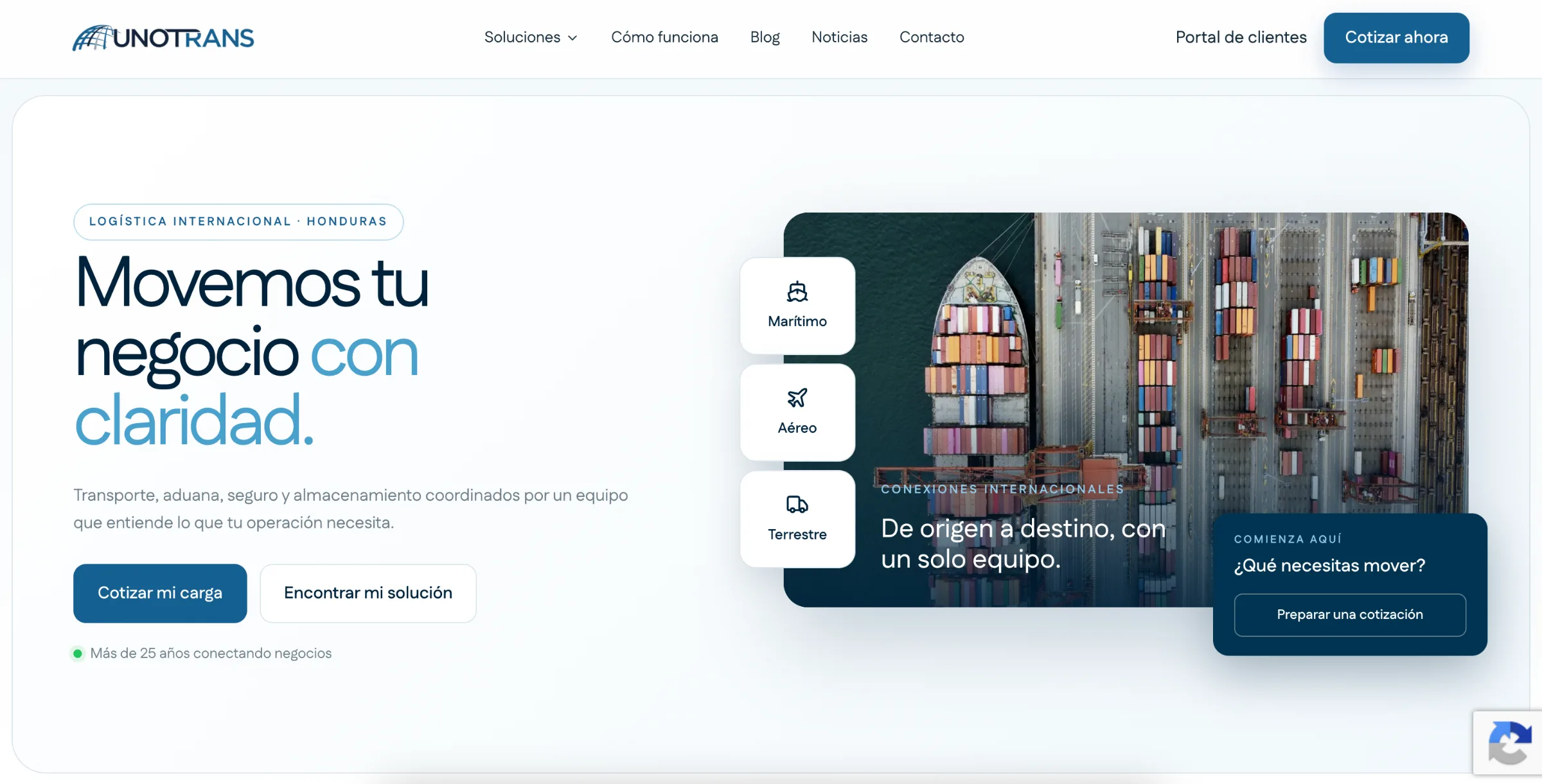
Unotrans's public website moved from WordPress to Salesforce as well. The company site at www.unotrans.hn and the customer portal at portal.unotrans.hn now run on the same platform as the CRM. The site includes a "Cotizar mi carga" (quote my cargo) form that creates Leads directly in Salesforce and is protected with reCAPTCHA to keep spam out.
The Technical Challenge: Making an Aura Portal Feel Like a Custom App
Salesforce Experience Cloud sites are built on one of two frameworks: Aura, the older and more established one, or LWR (Lightning Web Runtime), the newer one designed for faster, more modern sites. Aura sites often look and behave like Salesforce, which is exactly what Unotrans wanted to avoid.
Rather than rebuilding the portal on LWR, Inforge built a custom "shell" for the Aura site: its own navigation menu and top bar that replace the standard Experience Cloud chrome. That shell is what gives the portal the look and feel of a custom mobile app while keeping it on Aura. The result is a portal that works smoothly on a phone without the cost and time of a framework migration.
At Inforge, we've found that the best Experience Cloud portals aren't the ones built on the newest framework. They're the ones designed around how customers actually work, and connected directly to the data the team already maintains in Salesforce.
The Results
Real-time visibility on mobile. Customers see their shipments in real time from their phones, without having to ask their coordinator.
One platform for everything. The CRM, the public website, and the customer portal all run on Salesforce. Quotes and questions go straight into the CRM with an assigned owner instead of getting lost in email and WhatsApp.
Fast adoption. In the first week after launch, the first customers were already checking their shipments through the portal.
Summary
Unotrans's customers needed to track shipments from their phones, and its team needed to stop chasing container updates and scattered requests across email and WhatsApp. Inforge built a fully custom, mobile-first customer portal on Salesforce Experience Cloud, on the same org as the existing CRM, so roughly 12,900 shipments and more than 100,000 history events were live without a migration. With live container tracking through Shipsgo, quotes and questions flowing into the CRM as Opportunities and Cases, and the public website moved onto Salesforce, Unotrans now runs its CRM, website, and portal on one platform, and customers started using it in the first week.
Inforge designs and builds custom Salesforce Experience Cloud portals for US and Latin American companies, with nearshore Salesforce consultants, admins, and developers working in your time zone.
Frequently Asked Questions
Q: Can a Salesforce Experience Cloud portal be fully custom designed?
A: Yes. The Unotrans portal uses no standard Salesforce screens. With custom components and a custom navigation shell, an Experience Cloud site can look and feel like a branded mobile app.
Q: Do you need to migrate data to launch a customer portal on Salesforce?
A: Not if your data already lives in Salesforce. Unotrans's portal runs on the same org as its CRM, so about 12,900 shipments and more than 100,000 history events were available immediately with no migration.
Q: How does container tracking work in the portal?
A: The portal connects to the Shipsgo API, which tracks containers across shipping lines, and displays each container's position on a map. Customers no longer need someone to check carrier websites for them.
Q: Should you build an Experience Cloud portal on Aura or LWR?
A: It depends on your requirements and existing setup. LWR is the newer framework, but Unotrans shows that a well-designed Aura site with a custom shell can deliver a modern, mobile-friendly experience without a framework migration.
Q: What happens when a customer requests a quote or asks a question in the portal?
A: Quote requests are created as Opportunities in Salesforce, and questions are created as Cases assigned to the coordinator who manages that customer's account. On the public website, the quote form creates Leads.
Source: Unotrans case study details provided by Inforge. No outside statistics used.