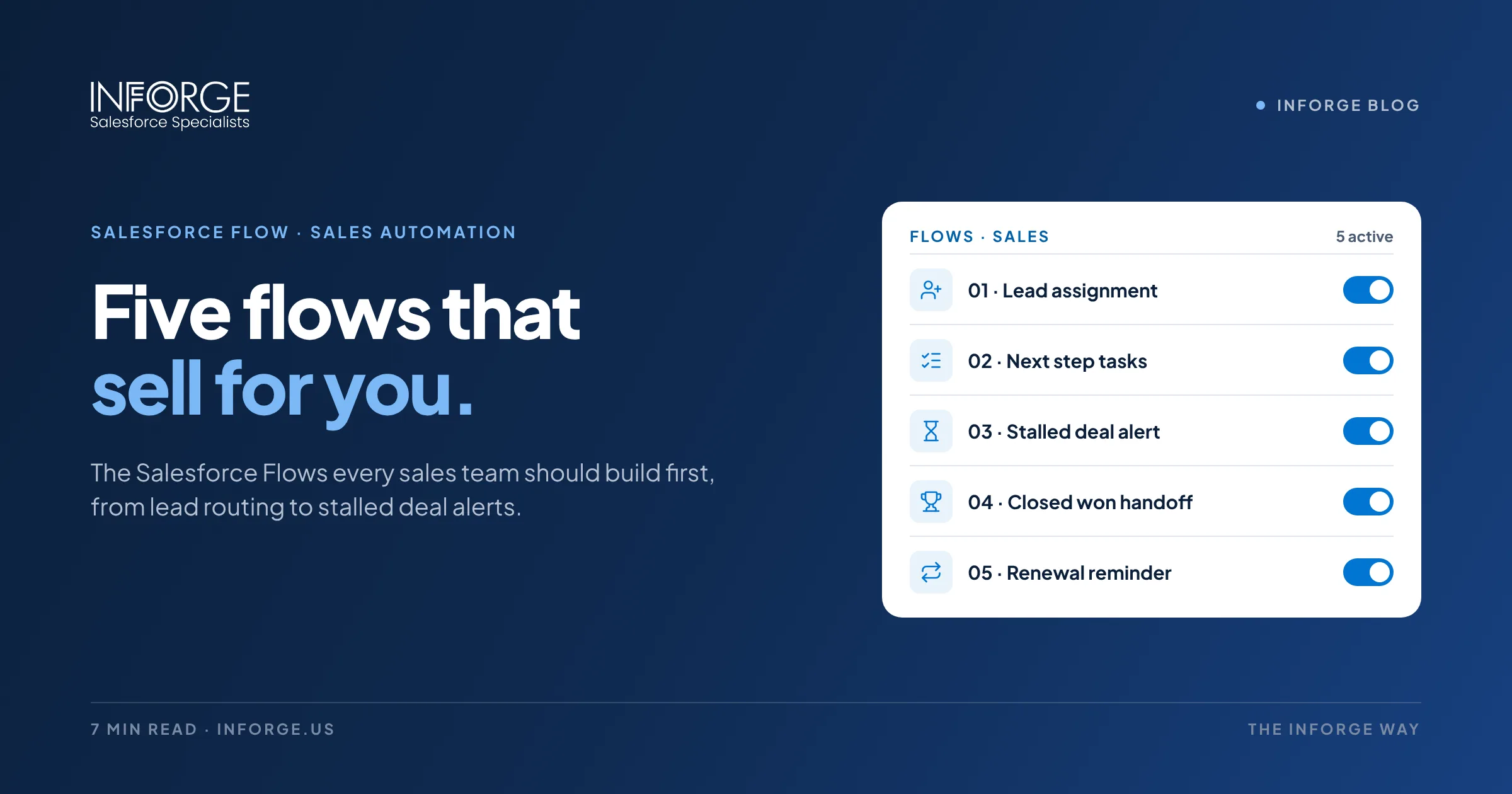
Can Salesforce Automate Your Sales Process? 5 Flows Every Sales Team Should Build
Yes, and Salesforce Flow is how you do it. Flow is Salesforce's main automation tool, and it can take over much of the repetitive work that eats into selling time: routing leads, creating follow-up tasks, enforcing stage requirements, flagging stalled deals, routing approvals, and handing off closed deals. The key is starting with the five Flows that remove the most friction for your reps, and building them in a way your admin can maintain.
Quick Answer: Salesforce can automate much of your sales process with Flow. The five Flows most sales teams should build first are lead assignment with instant alerts, opportunity stage automation with guided next steps, stalled deal alerts, discount and quote approvals, and a closed won handoff that kicks off onboarding and renewals. Together, they speed up response times, keep data clean, and give reps more time to sell.
Key Takeaways:
Salesforce's State of Sales research has found that reps spend about 70% of their time on non-selling tasks.
Flow is now Salesforce's standard automation tool. Workflow Rules and Process Builder reached end of support at the end of 2025.
Five Flows deliver the most impact for most teams: lead assignment, stage automation, stalled deal alerts, approvals, and closed won handoff.
Good Flows are built in a sandbox, tested, documented, and owned by an admin.
Automation works best on clean data and clearly defined sales stages.
Why Sales Process Automation Matters
Sales reps are hired to sell, but a large share of their week goes to everything around selling. Salesforce's State of Sales research has found that reps spend roughly 70% of their time on non-selling tasks: updating records, logging activities, chasing approvals, building reports, and hunting for information.
Much of that work is predictable and rules-based, which makes it a perfect fit for automation. When the right things happen automatically, leads get faster responses, deals move more consistently, managers see accurate pipeline, and reps spend more time with customers.
Salesforce Flow is the tool for this. Salesforce ended support for Workflow Rules and Process Builder at the end of 2025, so Flow is now the standard way to automate business processes in Salesforce. If your org still runs on the older tools, migrating to Flow is a good moment to rethink the process, not just rebuild it.
The bottleneck isn't rep effort. It's the busywork around the sale.
Flow 1: Lead Assignment and Instant Alerts
What it does: When a new lead comes in from your website, a form, or an event, the Flow assigns it to the right rep based on territory, industry, company size, product interest, or round robin, then immediately notifies the rep and creates a follow-up task with a due time.
Why it matters: Speed to lead is one of the biggest drivers of conversion. Automatic routing removes the delay of manual assignment and makes sure no lead sits unowned.
Build tips: Use a record-triggered Flow on Lead creation. Store routing rules in custom metadata or a custom object so admins can change territories without editing the Flow. Add a fallback queue for leads that don't match any rule.
Flow 2: Opportunity Stage Automation and Guided Next Steps
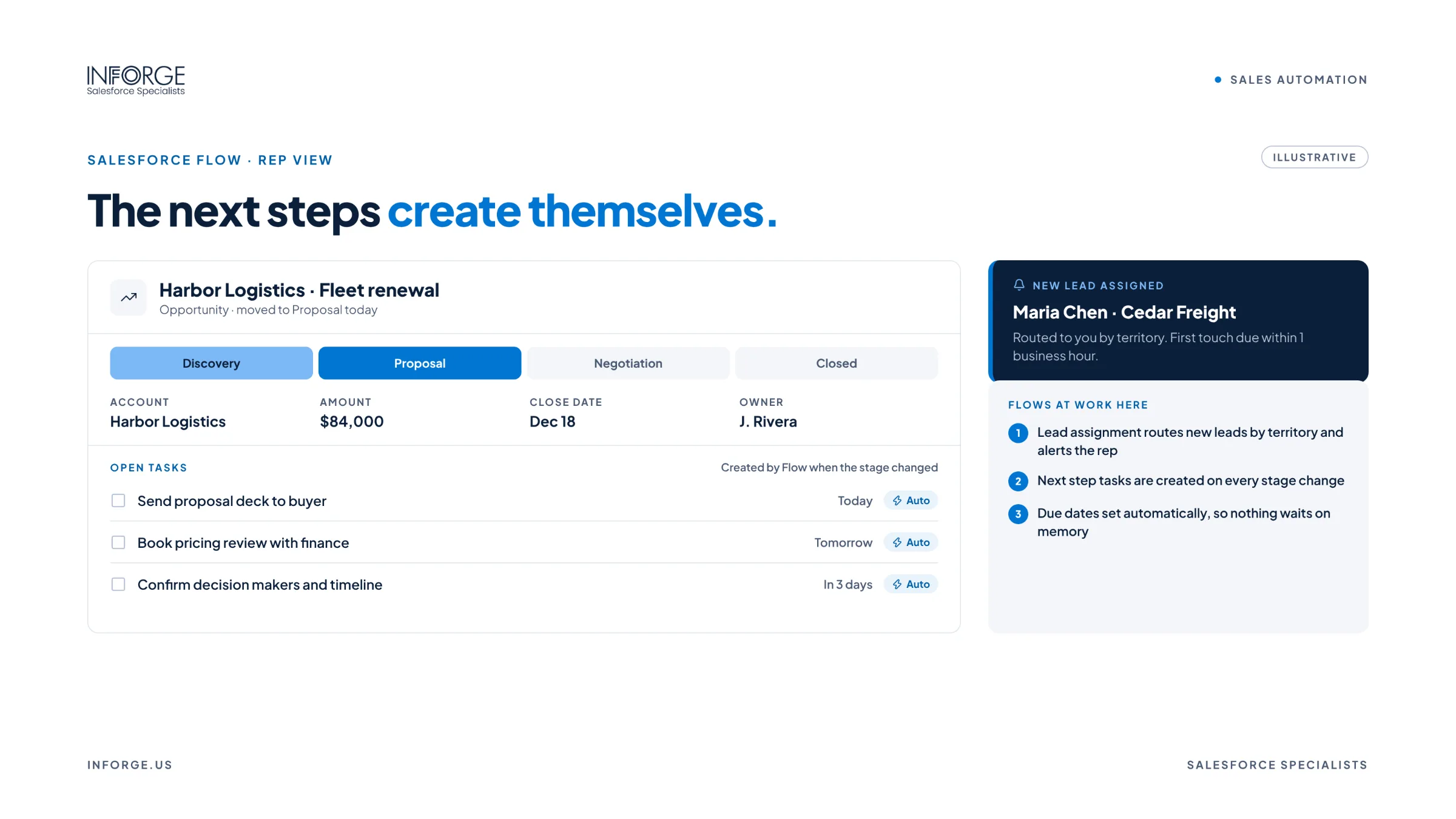
What it does: When an opportunity moves to a new stage, the Flow creates the standard tasks for that stage, updates fields like probability or forecast category, and requires the information needed before advancing, like a decision maker, budget, or next meeting date.
Why it matters: It turns your sales methodology into a consistent process. Every rep follows the same steps, and managers can trust that a deal in "Proposal" actually has a proposal.
Build tips: Pair the Flow with validation rules for required fields at each stage. Use Path with guidance for success so reps see what's expected at each stage. Keep task templates simple so reps don't ignore them.
Flow 3: Stalled Deal Alerts
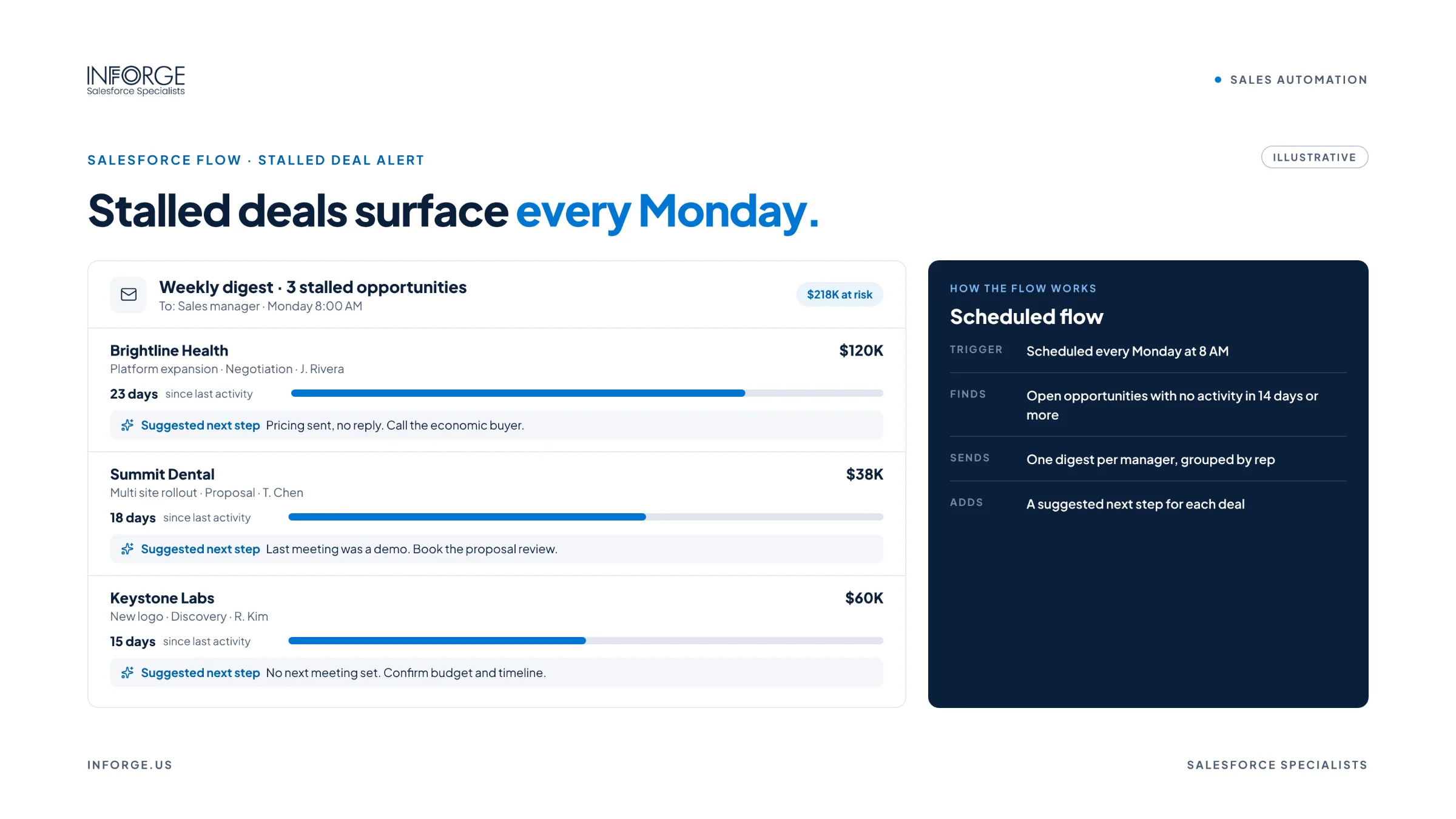
What it does: A scheduled Flow runs daily or weekly to find opportunities with no activity in a set number of days, close dates in the past, or deals stuck in one stage too long. It alerts the owner and, after a second threshold, their manager.
Why it matters: Stale deals inflate the pipeline and hide risk. Catching them early keeps forecasts honest and gives reps a chance to re-engage before the deal goes cold.
Build tips: Use a schedule-triggered Flow. Set thresholds by stage, since a deal in negotiation should move faster than one in discovery. Send a digest instead of one email per deal to avoid alert fatigue.
Flow 4: Discount and Quote Approvals
What it does: When a rep requests a discount above a set threshold or changes key deal terms, the Flow routes the request to the right approver based on amount, product, or region, tracks the decision, and notifies the rep when it's approved or rejected.
Why it matters: Approvals stuck in email or chat slow deals down, especially at quarter-end. Automated routing makes approvals fast, visible, and auditable, and protects margins.
Build tips: Combine Flow with Salesforce approval processes, or use Flow Orchestration for multi-step approvals. Include deal context in the approval request so approvers can decide without digging.
Flow 5: Closed Won Handoff
What it does: When an opportunity is marked Closed Won, the Flow notifies the onboarding or delivery team, creates the onboarding project or case, updates the account status, and sets up a renewal opportunity or reminder based on the contract term.
Why it matters: The handoff from sales to delivery is where many customer experiences break down. Automating it means nothing is forgotten, the customer gets a fast start, and renewals are never a surprise.
Build tips: Require key handoff fields, like start date, contacts, and scope, before an opportunity can be closed. Create the renewal opportunity automatically with the right close date so it appears in the pipeline at the right time.
How to Build Flows That Don't Break Your Org
Map the process first. Automate a clear process, not a messy one.
Build in a sandbox. Never build or edit Flows directly in production.
Test with real scenarios. Include edge cases, bulk updates, and data imports.
Avoid overlapping automation. Too many Flows on the same object can conflict or hit limits. Consolidate where possible.
Document everything. Name Flows clearly and add descriptions so the next admin understands them.
Monitor after launch. Watch for Flow errors and fix them quickly.
Assign an owner. Someone should be responsible for maintaining sales automation over time.
At Inforge, we've found that the sales teams getting the most from Salesforce automation aren't the ones with the most Flows. They're the ones that automate a clearly defined process, keep their data clean, and have an admin who owns and maintains the automation.
Summary
Salesforce can automate much of your sales process, and Flow is the tool to do it, especially now that Workflow Rules and Process Builder have reached end of support. Salesforce's research shows reps spend about 70% of their time on non-selling work, and five Flows can recover a meaningful share of it: lead assignment with instant alerts, opportunity stage automation, stalled deal alerts, discount approvals, and a closed won handoff. Build them in a sandbox, test thoroughly, document them, and give them an owner.
Inforge helps sales teams design, build, and maintain Salesforce automation with nearshore Salesforce admins, developers, and consultants working in your time zone.
Frequently Asked Questions
Q: Can Salesforce automate the sales process?
A: Yes. Salesforce Flow can automate lead routing, task creation, stage requirements, stalled deal alerts, approvals, handoffs, and renewals, which reduces manual work and keeps the sales process consistent.
Q: What is Salesforce Flow?
A: Flow is Salesforce's main automation tool. It lets admins build automated processes that run when records change, on a schedule, or when users launch them, without writing code.
Q: What happened to Workflow Rules and Process Builder?
A: Salesforce ended support for Workflow Rules and Process Builder at the end of 2025. Existing automations may still run, but Salesforce recommends migrating them to Flow, which is now the standard automation tool.
Q: Which Salesforce Flows should a sales team build first?
A: Most teams get the biggest impact from lead assignment with alerts, opportunity stage automation, stalled deal alerts, discount approvals, and a closed won handoff that creates onboarding work and renewals.
Q: Do I need a developer to build Salesforce Flows?
A: Usually not. Flow is a low-code tool that experienced admins can build with. Developers may be needed for complex logic, integrations, or high-volume scenarios.